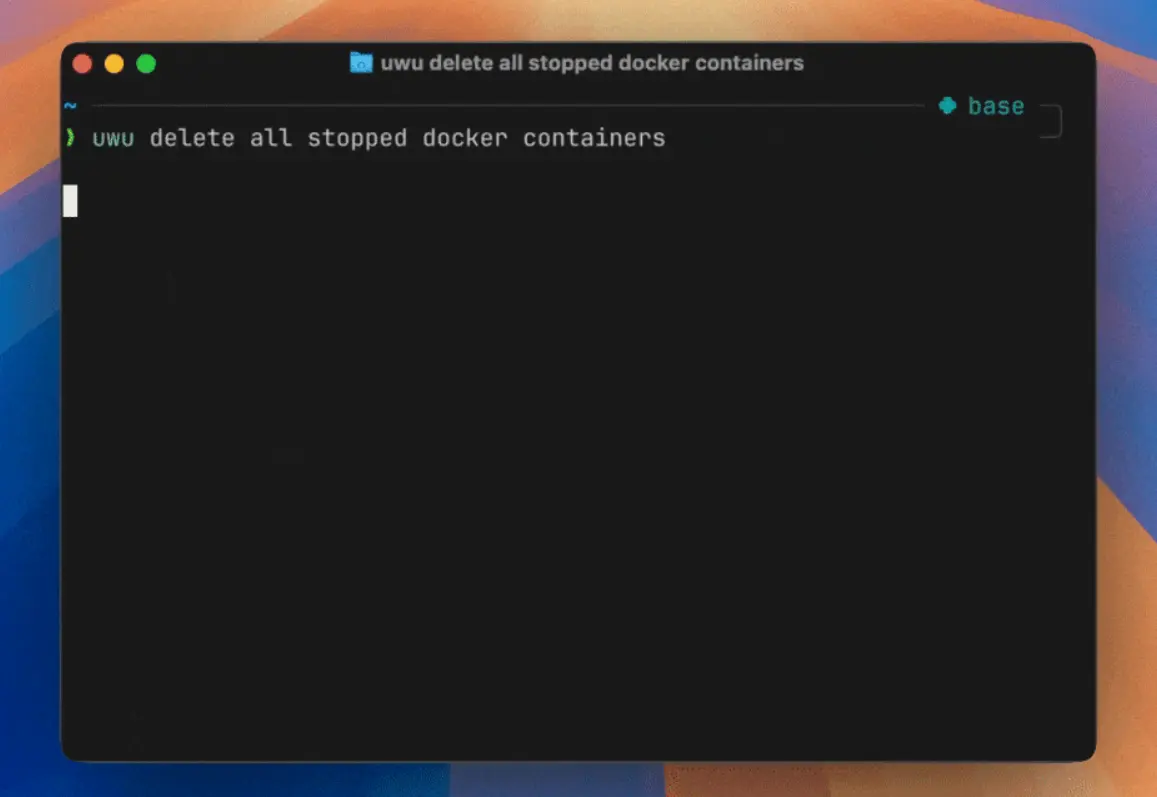
uwu is a lightweight, open-source CLI tool that converts natural language into shell commands using any LLMs like OpenAI, Claude, Gemini, and more.
This tool was designed to help developers write shell commands faster without switching context from their current workflow.
Think of it as having a knowledgeable colleague who can instantly translate your casual “I need to…” requests into proper terminal syntax.
Features
- Multi-provider AI support: Works with OpenAI, Claude, Gemini, GitHub models, and local models like Ollama.
- Editable command generation: Generated commands appear in your shell’s input line for review and modification before execution.
- Shell history integration: Can include recent command history as context for more accurate suggestions.
- Cross-platform compatibility: Supports Linux, macOS, and Windows with platform-specific optimizations.
- Clipboard support: Automatically copies generated commands to your system clipboard.
- Zero context switching: Commands integrate directly into your existing shell workflow and history.
- Lightweight architecture: Built as a single TypeScript file focused on one core function.
Use Cases
- SSH key management: Generate and configure SSH keys with complex parameters by describing what you need in plain English.
- File system operations: Convert descriptions like “find all Python files modified in the last week” into proper find commands with correct syntax.
- Git workflow automation: Transform requests like “create a new branch based on the current one and push it” into complete git command sequences.
- System administration tasks: Generate commands for user management, permission changes, and system monitoring without memorizing syntax.
- Docker and container operations: Build, run, and manage containers using natural language descriptions of your requirements.
How to Use It
1. Clone the Repository from GitHub:
git clone https://github.com/context-labs/uwu.git
cd uwu
2. Install Dependencies and Build:
bun install
bun run build
3. Make the Binary Executable and Move it to Your PATH:
chmod +x dist/uwu-cli
mv dist/uwu-cli /usr/local/bin/uwu-cli
4. The first time you run uwu, it will create a config.json file. You’ll need to add your preferred AI provider’s API key to this file. It supports OpenAI, Claude, Gemini, and custom endpoints for local models.
5. Add the Helper Function to Your Shell Configuration:
For Zsh, add the following to your ~/.zshrc file:
uwu() {
  local cmd
  cmd="$(uwu-cli "$@")" || return
  vared -p "" -c cmd
  print -s -- "$cmd"
  eval "$cmd"
}
For Bash, add this to your ~/.bashrc:
uwu() {
  local cmd
  cmd="$(uwu-cli "$@")" || return
  read -e -i "$cmd" -p "" cmd || return
  builtin history -s -- "$cmd"
  eval -- "$cmd"
}
6. Reload Your Shell:
bash source ~/.zshrc # or source ~/.bashrc7. Now you can use it by typing uwu followed by your request in plain English.
uwu generate a new ssh key called project-key and add it to the ssh agent
Pros
- Simple installation: Single binary with minimal dependencies and easy setup process.
- Multiple AI providers: Support for various models including free GitHub options and local installations.
- Native shell integration: Generated commands appear in your shell history just like manually typed commands.
- Context awareness: Optional shell history integration provides better command suggestions based on your recent activity.
- Cross-platform support: Works consistently across Linux, macOS, and Windows environments.
- Edit before execution: Review and modify generated commands before running them.
Cons
- API dependency: Requires API keys for most providers.
- Limited scope: Focuses solely on command generation without advanced development tool features.
- Manual setup required: No package managers or automated installers for simpler deployment.
- Context limitations: Shell history scanning has fixed chunk sizes and may miss relevant context in large histories.
Related Resources
- Bun JavaScript Runtime: Required for building and running the UwU CLI tool from source.
- Ollama Local AI: Run large language models locally for private, offline command generation.
- Shell Scripting Guide: A Resource for understanding shell commands and syntax.
- Zsh Documentation: Guide to Zsh shell features and customization options.
FAQs
Q: How accurate are the generated commands?
A: Command accuracy depends on the AI model used and the clarity of your natural language input. The tool allows you to review and edit commands before execution, providing a safety layer for complex operations.
Q: What happens to my command history?
A: When shell history integration is enabled, UwU reads your recent commands to provide better context for suggestions. This data is sent to the AI provider along with your request, so consider privacy implications when enabling this feature.
Q: Can I customize the command generation prompts?
A: The current version uses built-in prompts optimized for shell command generation. The tool focuses on simplicity, but being open-source, you can modify the TypeScript source code to customize prompt behavior.