The Integrated Learning Environment: the IDE built for learning

One place inside Canvas, Blackboard, Moodle, or Brightspace where students write and run real code, get instant feedback, and use AI on your terms. And where you see all of it.
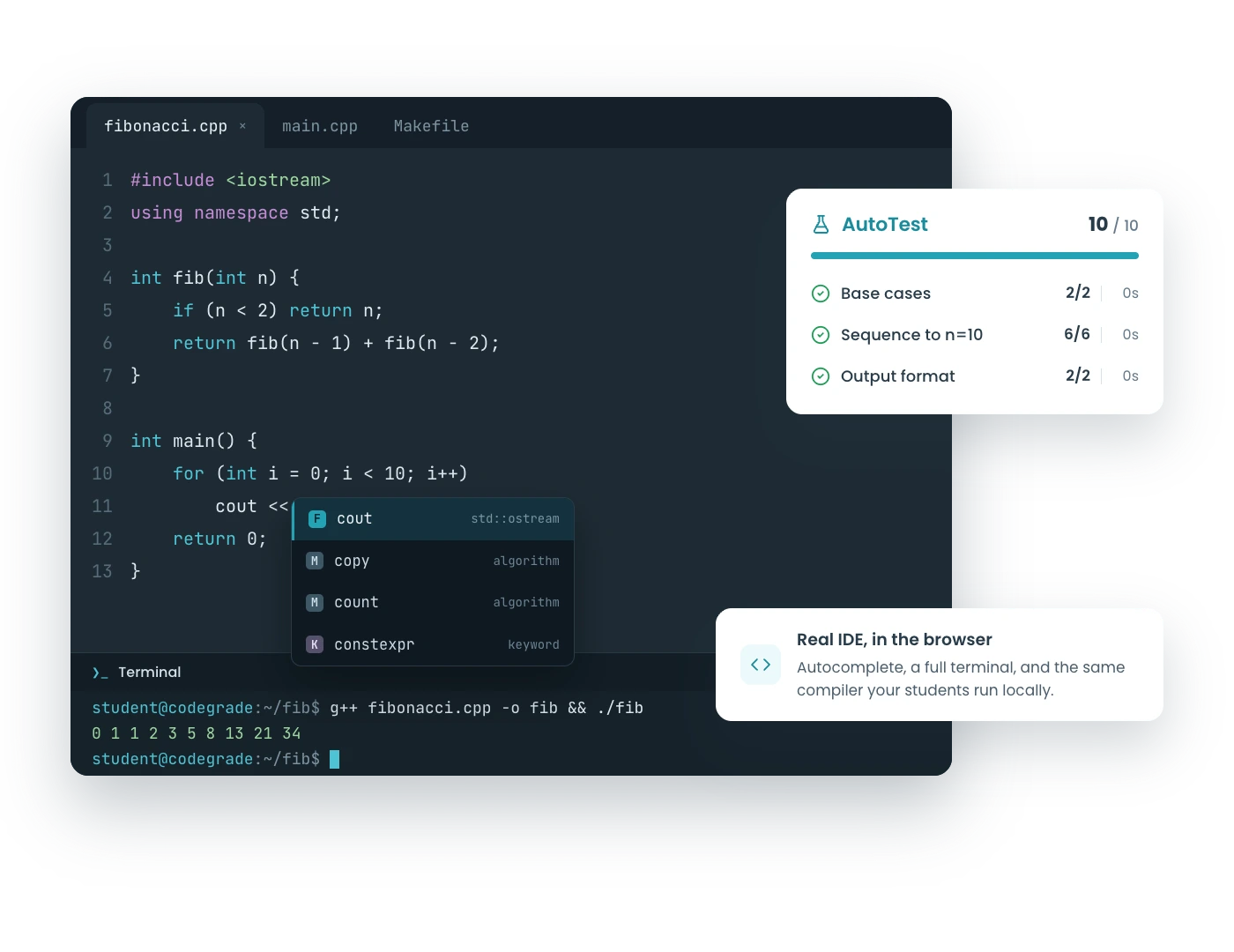
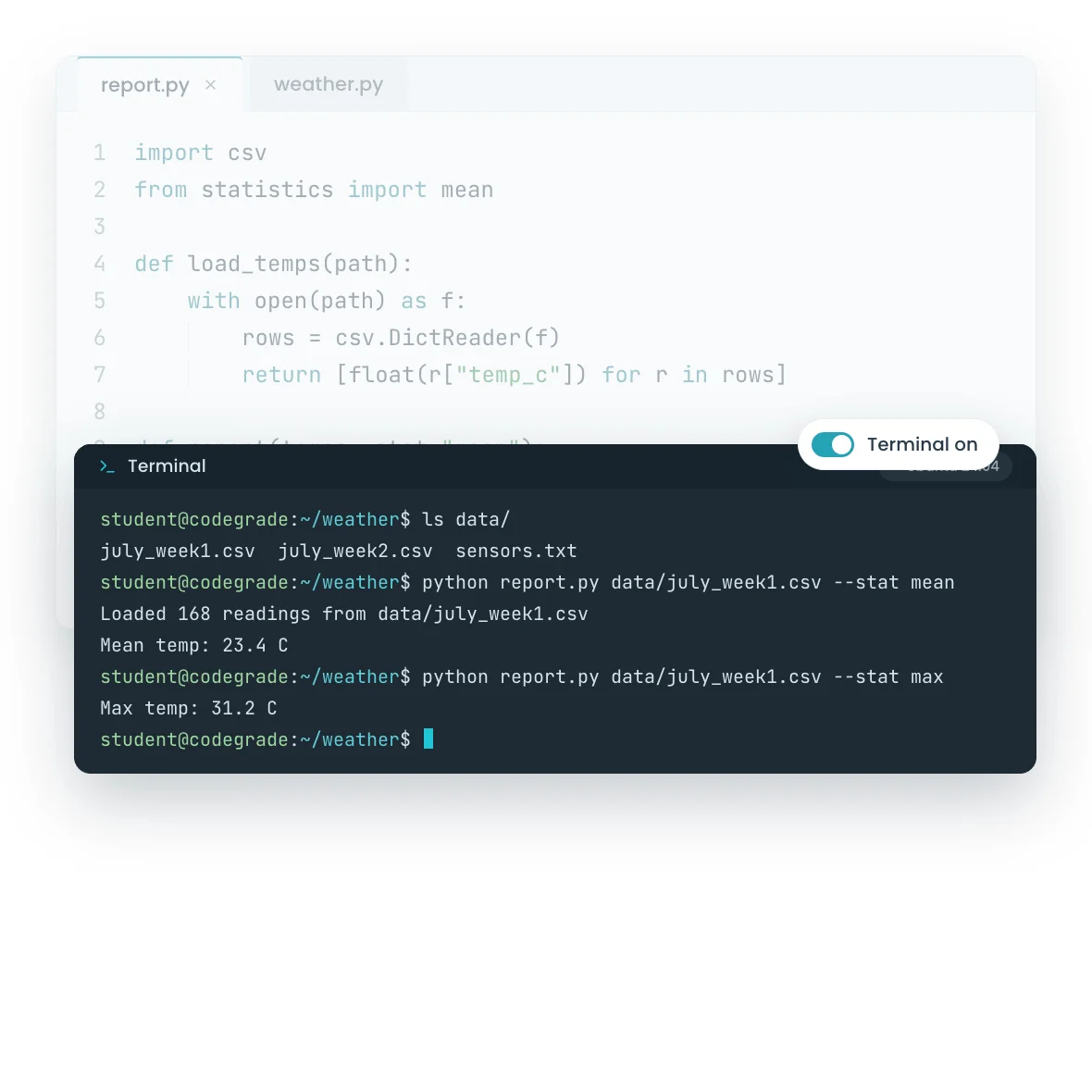
CodeGrade's learning environment: browser editor, terminal, autograder, and AI assistant.Interactive Ubuntu terminal running a student's program in the browser.

1. Every student lands in the same environment

Students open the assignment and the environment is right there, ready to go: editor, files, autocomplete, and 175+ languages. Every student gets the same tools, the same versions, the same rules. Nobody's laptop decides what they learn, and week one is spent teaching instead of debugging fifty different setups.

  • Same environment for every student, on anything with a browser
  • Assignment description, code editor, and test results on one screen
  • 175+ languages, Jupyter notebooks, and multi-file projects
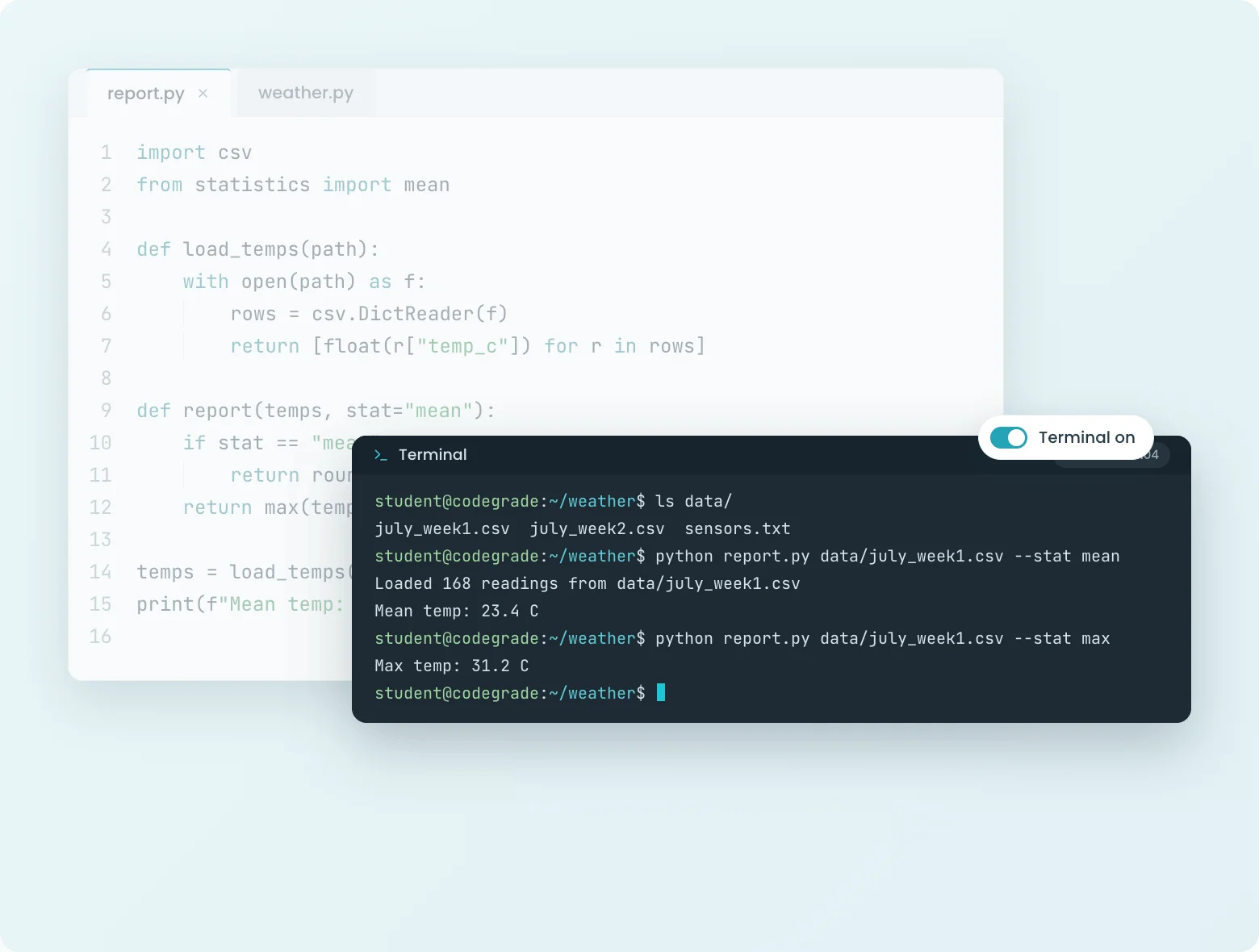
Multi-file Python project with file tree in CodeGrade's browser editor.
Student running their Python program in CodeGrade's interactive terminal, in the same Ubuntu environment the autograder uses.

2. A real terminal in a real Ubuntu environment

Every assignment can include an interactive terminal. Students compile, run, and explore in a real Ubuntu environment, like they would on a real machine, without owning one. And it is yours to give: the terminal switches on or off per assignment, configured right in your autograder setup, and it runs in the same environment your tests run in. What students explore in the terminal is exactly the state your autograder grades.

Files and editor in week one, terminal when the shell is the lesson, off for the exam if you choose. The environment is staged to your curriculum, not the other way around.

  • Real Ubuntu terminal, per assignment, at your choice
  • Same environment as your autograder setup: what students explore is what your tests run in
  • Part of the paid environment; your first course gets it free

3. The closed feedback loop: write, run, check, learn

The autograder responds the moment students press the button, while the code is still in their head. The AI assistant helps when they are stuck, under rules you set and with every conversation visible to you. Your feedback lands on the lines that need judgment, and the grade lands in the gradebook by itself.

The same loop runs every stakes level: quick coding quizzes, weekly assignments, and secured exams. Practice, homework, and proof, all in one place with the same feedback.
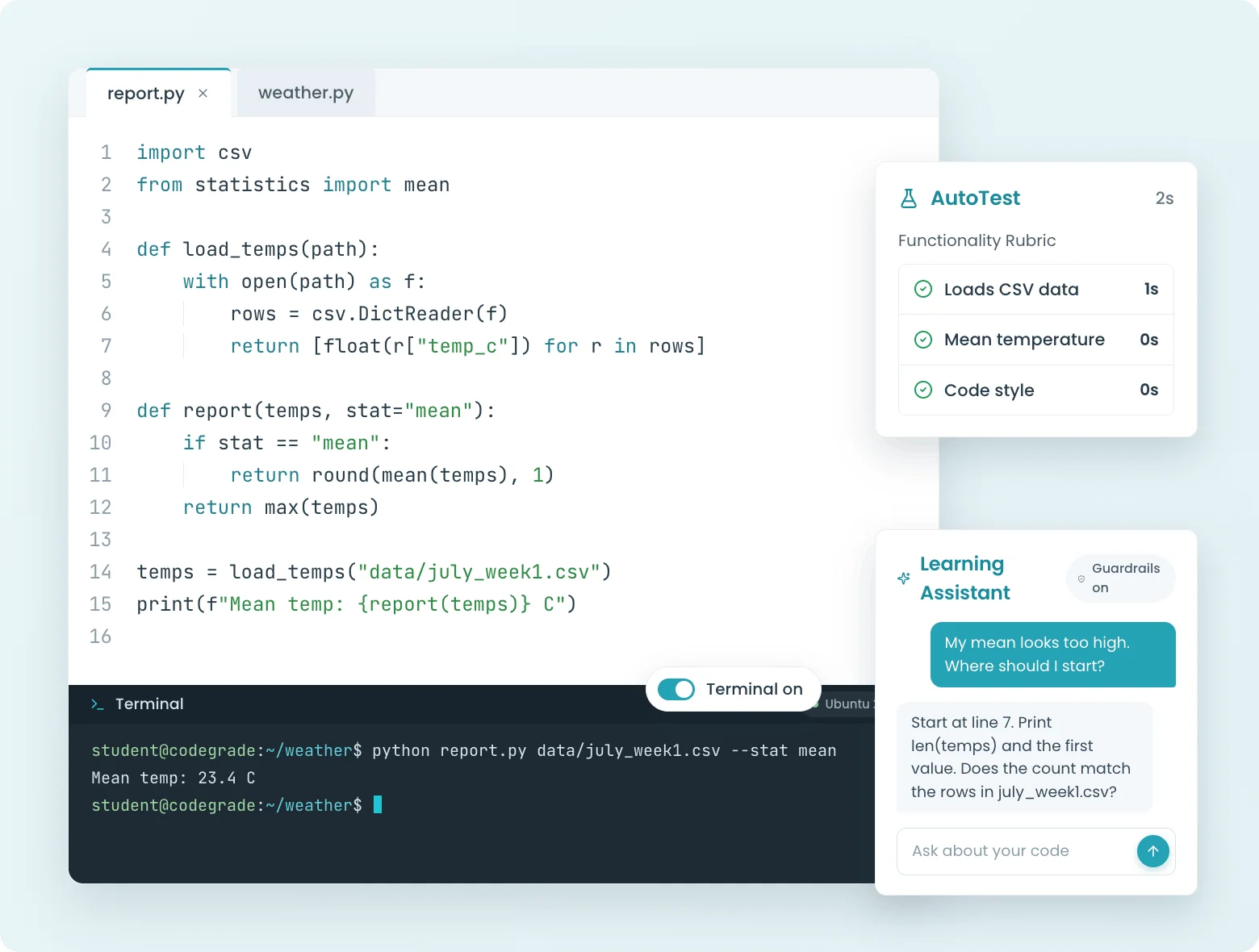
The closed feedback loop in CodeGrade: write, run in the terminal, check autograder results, and ask the AI assistant, all on one screen.

Give students a place to write, run, and practice code.

Browser-based editor, Jupyter Notebooks, and auto-graded quizzes. All inside your LMS, nothing to install.

Discover how institutions use CodeGrade to improve their coding courses

Jamie Andrews

Director of Graduate Programs

I can see the student submissions and slowly watch their scores creep up, which is incredibly rewarding!

Dr. Marwan Rasamny

Chair of Physics, Engineering, Mathematics, and Computer Science

"I’ve kind of championed it in my program primarily because it’s very versatile"

Patrick Totzke

Full Professor

I have many students expressing how amazing it is to use CodeGrade for their submissions!

Frequently Asked Questions

More features

Puzzle pieces interlocking, indicating code integration in programming projects.
CodeGrade lives inside your LMS
Native integration with Canvas, Blackboard, Moodle, and Brightspace. Students open an assignment and start coding. Grades sync back automatically.
> Learn more
Circular gear with a checkmark, representing automated code grading.
The most powerful autograder
Grade code automatically across 175+ languages, with feedback that lands while students are still coding. Free for up to 50 students, forever.
> Learn more
Icon of a cat representing GitHub platform for coding and programming collaboration.
GitHub Integration
Push code, not buttons.
> Learn more

Get started today and unlock the power of CodeGrade.