| deeplabcut |
|
|---|
::::{warning} This course was designed for DLC 2. An updated version for DLC 3 is in the works. ::::
Do you have video of animal behaviors? Step 1: Get Poses ...
This document is an outline of resources for a course for those wanting to learn to use Python and DeepLabCut.
We expect it to take roughly 1-2 weeks to get through if you do it rigorously. To get the basics, it should take 1-2 days.
CLICK HERE to launch the interactive graphic to get started! (mini preview below) Or, jump in below!

You need Python and DeepLabCut installed!
-
WATCH: overview of conda: Python Tutorial: Anaconda - Installation and Using Conda
-
Learning: Using the program terminal / cmd on your computer: Video Tutorial!
-
Learning: although minimal to no Python coding is required (i.e. you could use the DLC GUI to run the full program without it), here are some resources you may want to check out. Software Carpentry: Programming with Python
-
Learning: learning and teaching signal processing, and overview from Prof. Demba Ba talk at JupyterCon
-
DEMO: Can I DEMO DEEPLABCUT (DLC) quickly?
- Yes: you can click through this DEMO notebook
- AND follow along with me: Video Tutorial!
-
WATCH: How do you know DLC is installed properly? (i.e. how to use our test script!) Video Tutorial!
-
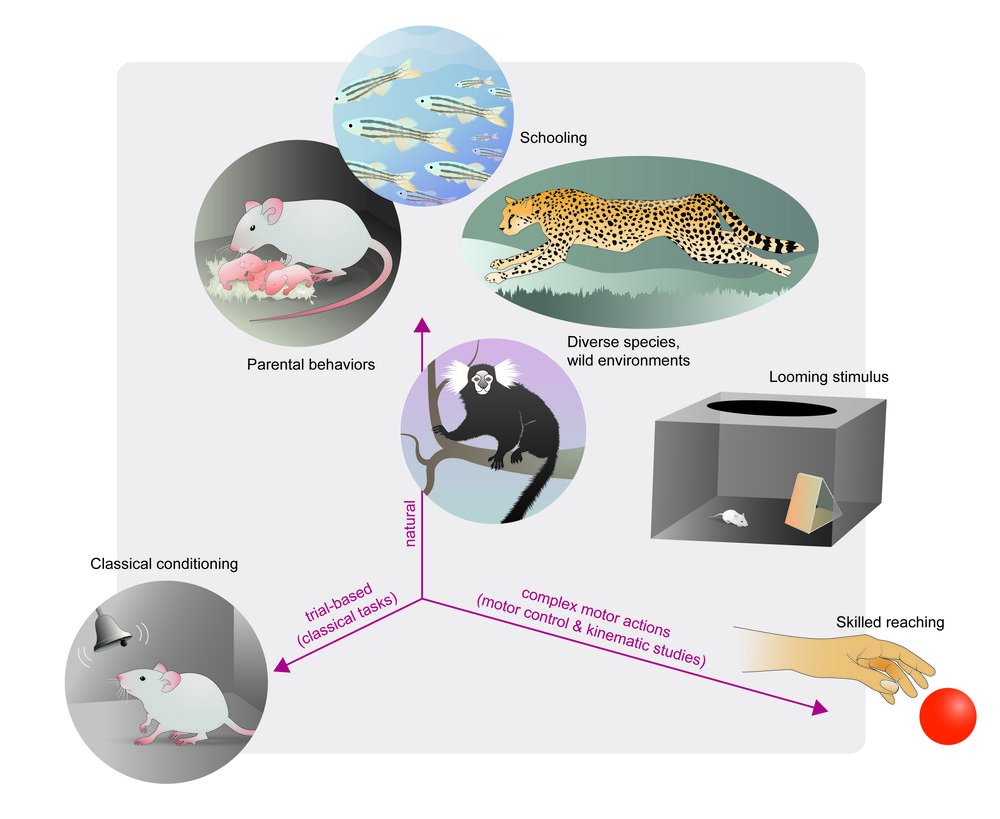
REVIEW PAPER: The state of animal pose estimation w/ deep learning i.e. "Deep learning tools for the measurement of animal behavior in neuroscience" arXiv & published version
-
REVIEW PAPER: A Primer on Motion Capture with Deep Learning: Principles, Pitfalls and Perspectives
-
WATCH: There are a lot of docs... where to begin: Video Tutorial!
What you need: any videos where you can see the animals/objects, etc. You can use our demo videos, grab some from the internet, or use whatever older data you have. Any camera, color/monochrome, etc will work. Find diverse videos, and label what you want to track well :)
-
IF YOU ARE PART OF THE COURSE: you will be contributing to the DLC Model Zoo 😊
- Slides: Overview of starting new projects
- READ ME PLEASE: DeepLabCut, the science
- READ ME PLEASE: DeepLabCut, the user guide
- WATCH: Video tutorial 1: using the Project Manager GUI
- Please go from project creation (use >1 video!) to labeling your data, and then check the labels!
- WATCH: Video tutorial 2: using the Project Manager GUI for multi-animal pose estimation
- Please go from project creation (use >1 video!) to labeling your data, and then check the labels!
- WATCH: Video tutorial 3: using ipython/pythonw (more functions!)
- multi-animal DLC: labeling
- Please go from project creation (use >1 video!) to labeling your data, and then check the labels!
-
Slides: Overview of creating training and test data, and training networks
-
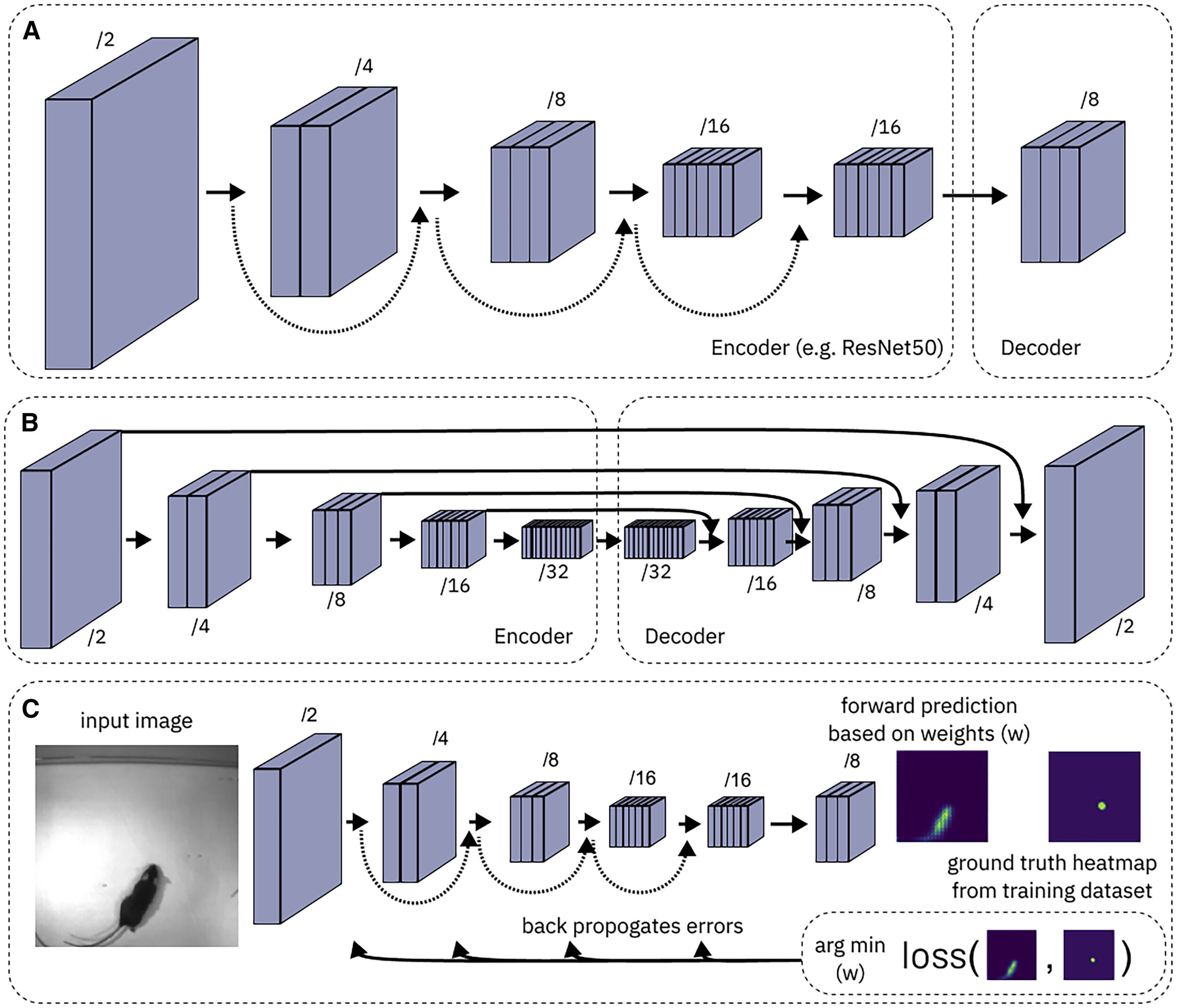
READ ME PLEASE: What are convolutional neural networks?
-
READ ME PLEASE: Here is a new paper from us describing challenges in robust pose estimation, why PRE-TRAINING really matters - which was our major scientific contribution to low-data input pose-estimation - and it describes new networks that are available to you. Pretraining boosts out-of-domain robustness for pose estimation
- MORE DETAILS: ImageNet: check out the original paper and dataset: http://www.image-net.org/
-
REVIEW PAPER: A Primer on Motion Capture with Deep Learning: Principles, Pitfalls and Perspectives
Before you create a training/test set, please read/watch:
- More information: Which types neural networks are available, and what should I use?
- WATCH: Video tutorial 1: How to test different networks in a controlled way
-
Now, decide what model(s) you want to test.
- IF you want to train on your CPU, then run the step
create_training_dataset, in the GUI etc. on your own computer. - IF you want to use GPUs on google colab, (1) watch this FIRST/follow along here! (2) move your whole project folder to Google Drive, and then use this notebook
MODULE 2 webinar: https://youtu.be/ILsuC4icBU0
- IF you want to train on your CPU, then run the step
-
- Slides Evaluate your network
- WATCH: Evaluate the network in ipython
- why evaluation matters; how to benchmark; analyzing a video and using scoremaps, conf. readouts, etc.
Once you have good networks, you can deploy them. You can create "cron jobs" to run a timed analysis script, for example. We run this daily on new videos collected in the lab. Check out a simple script to get started, and read more below:
-
Analyzing videos in batches, over many folders, setting up automated data processing
-
How to automate your analysis in the lab: datajoint.io, Cron Jobs: schedule your code runs
Pose estimation took away the painful part of digitizing your data, but now what? There is a rich set of tools out there to help you create your own custom analysis, or use others (and edit them to your needs). Check out more below:
-
Create your own machine learning classifiers: https://scikit-learn.org/stable/
-
REVIEW PAPER: Toward a Science of Computational Ethology
-
REVIEW PAPER: The state of animal pose estimation w/ deep learning i.e. "Deep learning tools for the measurement of animal behavior in neuroscience" arXiv & published version
-
REVIEW PAPER: Big behavior: challenges and opportunities in a new era of deep behavior profiling
compiled and edited by Mackenzie Mathis