When you say “Ok Google”, the microphone will activate and you’ll see a circle with bouncing dots – indicating that your voice command is being heard. For example, try saying “Ok Google, find gas stations”, and see what happens. You can tap the circle to cancel an ongoing command. If for some reason you want to use a non-hands-free alternative to saying “Ok Google”, tap the microphone and simply say “Find gas stations”.
To make sure you have things set up correctly, tap the overflow menu (the button with three dots), then tap “Settings”, and finally, tap ““Ok Google” detection”. The “While driving” setting allows you to say “Ok Google” during navigation in Google Maps. If you’d like to do this anywhere on your device, you’ll need to enable the “Always on” setting (on some devices, the setting is called “From any screen”). And if for some reason you’d like to turn off “Ok Google” detection entirely throughout your device, you can do so by toggling the settings to the off position.
Once you’re all set up, the possibilities are endless. In addition to tried-and-true voice commands like “What’s my next turn?” and “What’s my ETA?”, you can now do things like “Show / Hide traffic”, “Mute / Unmute voice guidance”, and even “Avoid tolls / highways / ferries”, with just the sound of your voice. If you anticipate traffic, you can say “How’s traffic ahead?” or “Show alternate routes”. And if you want to add a little fun to your drive, you can say “Play some jazz”, “Send a text”, or maybe even “Call mom”. Here’s a cheat sheet with more of the voice commands you can use in Google Maps. Safe driving, and happy road tripping!
Posted by Raghu Simha, Product Manager, Google Maps
Not to be outdone by past Street View collects captured by snowmobile, boat and zipline, the Trekker hitched a ride on a golf cart.
Explore the images on Google Maps, or walk the course like the pros using the Hazeltine Explorer, an interactive tour developed by Turner and Ubilabs. Along with 360-degree views, the site, built with Google Maps APIs, features custom elevation graphs for every hole, integrated video highlights and course-specific historical moments.
Fans attending the event can also make use of the Ryder Cup app’s Wayfinding feature, available on Android and iOS. Built using Google Maps APIs, the feature includes a detailed view of the course with routing instructions that account for walking paths and crosswalks. The map also displays information about on-course amenities and facilities.
Posted By: Vanessa Schneider, Program Manager, Google Earth Outreach
The beam also tells you how accurate your phone’s direction is at any given time. The narrower the beam, the more accurate the direction. The wider the beam, the more likely it is that your your phone’s compass is temporarily uncalibrated, which means that its sensors aren’t working as they should be. This can happen by doing something as simple as charging your phone or walking by a metal pole, which most of us do everyday. Thankfully, there’s a really easy fix. Any time you want to get back on track – not just when you see a prompt or notification – simply move your phone in a figure 8 motion a few times. This should immediately result in a more accurate direction.
Once you master the curving motion, you’re one step closer to having a more accurate compass when you use Google Maps on your Android phone.
Posted by: Raja Ayyagari, Product Manager, Google Maps
The world’s oceans and fisheries are at a turning point. Over a billion people depend on wild-caught fish for their primary source of protein. Fisheries are intertwined with global food security, slave labor issues, livelihoods, sovereign wealth and biodiversity but our fisheries are being harvested beyond sustainable levels. Fish populations have already plummeted by 90 percent for some species within the last generation, and the human population is only growing larger. One in five fish entering global markets is harvested illegally, or is unreported or unregulated. But amidst all these sobering trends, we're also better equipped to face these challenges — thanks to the rise of technology, increased availability of information, and a growing international desire to create a sustainable future.
Today, in partnership with Oceana and SkyTruth, we’re launching Global Fishing Watch, a beta technology platform intended to increase awareness of fisheries and influence sustainable policy through transparency. Global Fishing Watch combines cloud computing technology with satellite data to provide the world’s first global view of commercial fishing activities. It gives anyone around the world — citizens, governments, industry, and researchers — a free, simple, online platform to visualize, track, and share information about fishing activity worldwide.
Global Fishing Watch, the first global view of large scale commercial fishing activity over time
At any given time, there are about 200,000 vessels publicly broadcasting their location at sea through the Automatic Identification System (AIS). Their signals are picked up by dozens of satellites and thousands of terrestrial receivers. Global Fishing Watch runs this information — more than 22 million points of information per day — through machine learning classifiers to determine the type of ship (e.g., cargo, tug, sail, fishing), what kind of fishing gear (longline, purse seine, trawl) they’re using and where they’re fishing based on their movement patterns. To do this, our research partners and fishery experts have manually classified thousands of vessel tracks as training data to “teach” our algorithms what fishing looks like. We then apply that learning to the entire dataset — 37 billion points over the last 4.5 years — enabling anyone to see the individual tracks and fishing activity of every vessel along with its name and flag state.
An individual vessel fishing off Madagascar
This data can help inform sustainable policy and identify suspicious behaviors for further investigation. By understanding what areas of the ocean are being heavily fished, agencies and governments can make important decisions about how much fishing should be allowed in any given area. Often, fish populations are so depleted that the only way to ensure they are replenished is to create “no take areas” where fishing is not allowed. Our hope is that this new technology can help governments and other organizations make decisions about which areas need protection and monitor if policies are respected.
Kiribati's Phoenix Island Protected Area transitioning from heavy tuna fishing to a protected area.
Partners have already started using Global Fishing Watch and have committed to providing additional data sources for greater impact:
Indonesia’s Minister of Fisheries and Marine Affairs, Susi Pudjiastuti, has committed to making the government’s Vessel Monitoring System (VMS) public in Global Fishing Watch in 2017. Ibu Susi has been a progressive leader for transparency in fisheries with other governments now expressing similar interest to collaborate.
Food and Agriculture Organization of the United Nations will collaborate on new research methodologies for reporting spatial fishery and vessel statistics, building on Global Fishing Watch and developing transparency tools to support their member states in improving the monitoring, control and surveillance of fishing activities.
Trace Register, a seafood digital supply chain company, has committed to using Global Fishing Watch to verify catch documentation for its customers such as Whole Foods.
Bali Seafood, the largest exporter of snapper from Indonesia, has teamed up with Pelagic Data Systems, manufacturers of cellular and solar powered tracking devices to bring the same transparency for small scale and artisanal fishing vessels, into Global Fishing Watch as part of a pilot program.
We’ve also developed a Global Fishing Watch Research Program with 10 leading institutions from around the world. By combining Google tools, methodologies, and datasets in a collaborative environment, they’re modeling economic, environmental, policy, and climate change implications on fisheries at a scale not otherwise possible.
Global Fishing Watch was not possible five years ago. From a technology perspective, satellites were just beginning to collect vessel positions over the open ocean, and the "global coverage" was spotty. There has been tremendous growth in machine learning with applications in new fields. Policy and regulatory frameworks have evolved, with the United States, European Union, and other nations and Regional Fishery Management Organizations now requiring that vessels broadcast their positions. Market forces and import laws are beginning to demand transparency and traceability, both as a positive differentiator and for risk management. All of these forces interact and shape each other.
Today, Global Fishing Watch is an early preview of what is possible. We’re committed to continuing to build tools, partnerships, and access to information to help restore our abundant ocean for generations to come.
The ride service tab updates automatically based on driver availability, estimated fare and ETA.
Ride options from Lyft will begin appearing across the U.S., while Gett will show availability within New York City. So the next time you find yourself with an appointment across the city, just open the Google Maps app on iOS or Android and take it for a spin. By Sara Torti, Senior Product Manager, Google Maps
When we herd about the Sheep View project, we thought it was shear brilliance. So we decided to help the Faroese by supplying them with a Street View trekker and 360 cameras via our Street View camera loan program. Last week, the Google Maps team arrived in the Faroe Islands to help train and equip the local community to capture even more (but slightly less woolly) Street View imagery.
Now that the Faroe Islands is supplied with a Trekker and 360 cameras, residents and tourists can assist the sheep in collecting Street View imagery of their beautiful lands using selfie-sticks, bikes, backpacks, cars, kayaks, horses, ships and even wheelbarrows. The Visit Faroe Islands office in Tórshavn and Atlantic Airways at the airport will be lending out Street View 360 cameras to visitors willing to lend a hoof.
The Faroe Islands have shown us that even sheep can contribute to Street View. If your hometown or favorite hiking trail hasn’t made it into Google Maps yet, grab your own 360 camera or apply to borrow one from us through our Street View camera loan program. We’re excited to see what ewe map!
Published By: David Castro González de Vega - Google Maps Program Manager
Roadtrippers leaving California for the beautiful Oregon landscape shouldn’t miss the Trees of Mystery attraction just 36 miles south of the Oregon border. Despite the name, the true showstoppers are the 49-foot-tall statue of Paul Bunyan and the 35-foot-tall Babe the Blue Ox – both of which are visible from Highway 101.
Downtown Seattle sports a notoriously sticky tourist attraction: a wall covered in gum. Although the wall was scrubbed clean back in 2015, it returned to all its glory in no time. Road trippers who find themselves at the famous Pike Place Market need only wander downstairs to Post Alley to behold the man-made (or chewed) marvel.
Just off Route 66, weary travelers can take a break to picnic, swim, or fish at the small lake that’s home to a big Blue Whale. To cool off from their long drives visitors fling themselves off his tail, slide down his fins and pose for photos in his open jaws.
Fewer than 30 minutes from Atlantic City, travelers can take in another larger than life creation – Lucy the Elephant. Lucy is a 132-year-old elephant-shaped building that towers six-stories tall. Visitors can enter the structure and climb up to the howdah (the carriage positioned on the back of an elephant) for a picturesque view of the beach below.
Take a short detour off I-95 in Connecticut to take a trip back in time to the Jurassic period. Northeastern roadtrippers will find 40 life-sized dinosaur figures on a 1.5-mile nature trail in The Dinosaur Place. And the best part is that they don’t have to worry about any real-life velociraptors.
Next time you’re on a road trip, remember to take a break and explore the roadside attractions along your route. Google Maps can help you do just that with a variety of features like offline maps, the ability to search for places along your route, and the option to create multi-stop trips (now available on Android and iOS). After all, the journey can be just as much fun as the destination.
Posted by Pierre Petronin, Quantitative Analyst, Google Maps
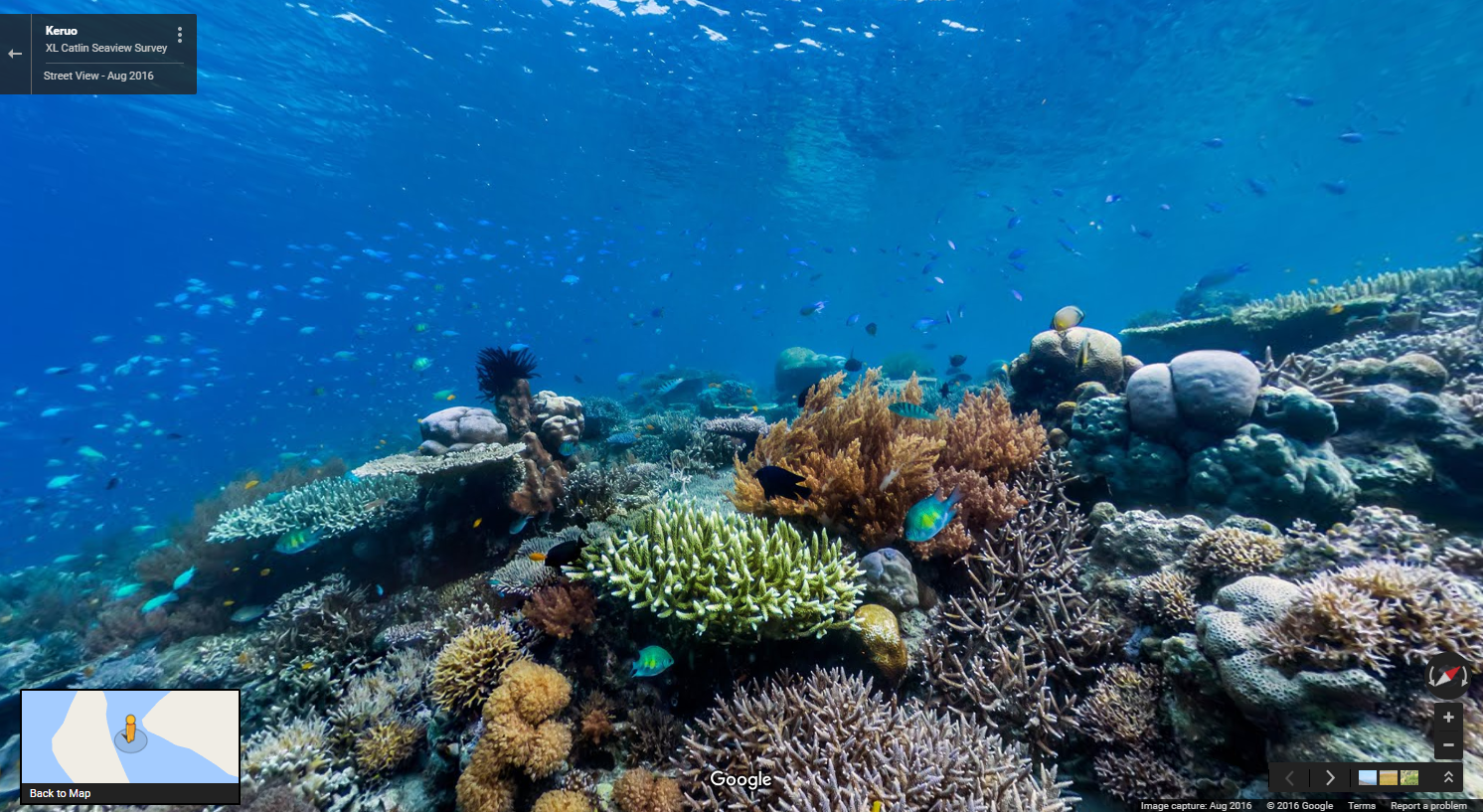
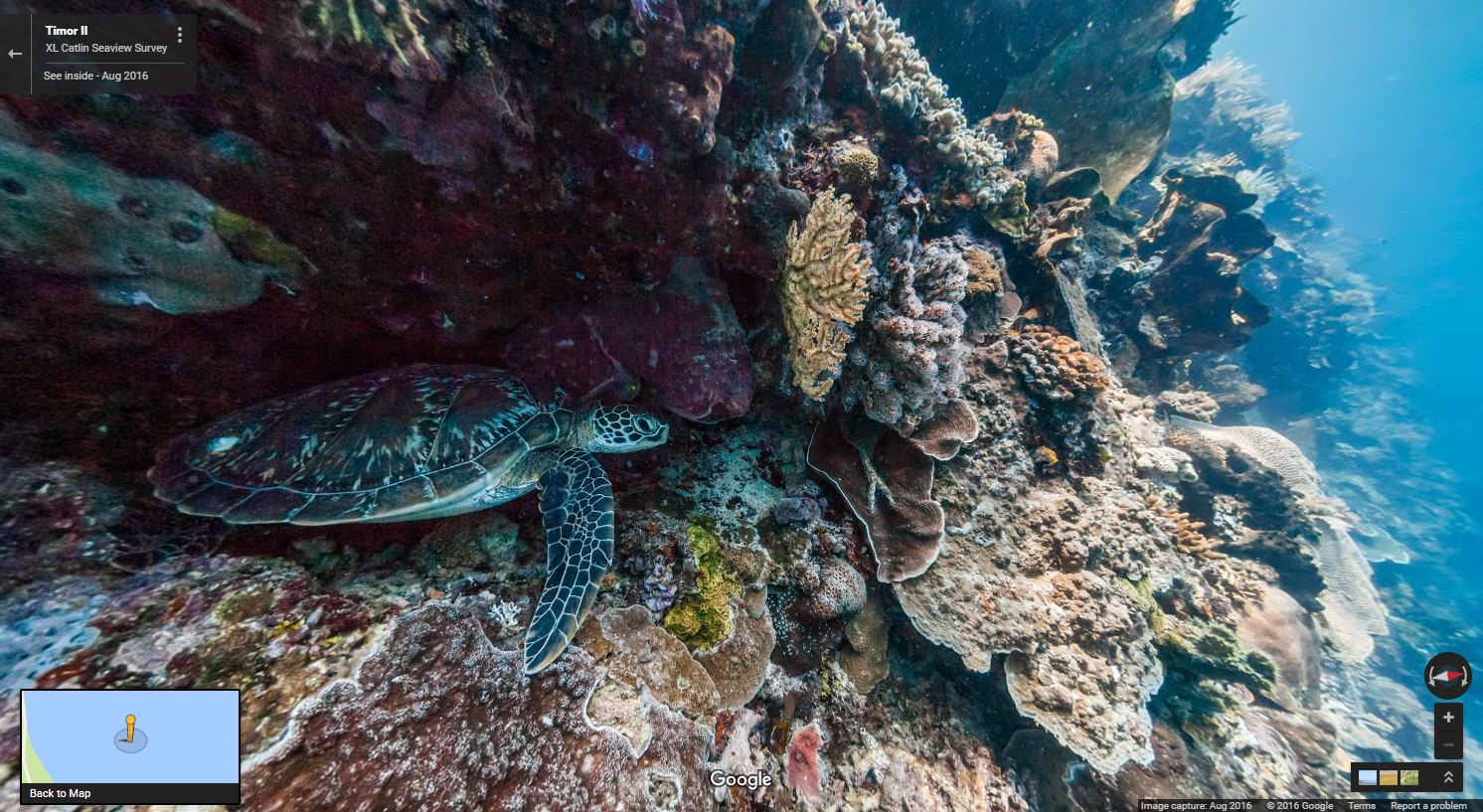
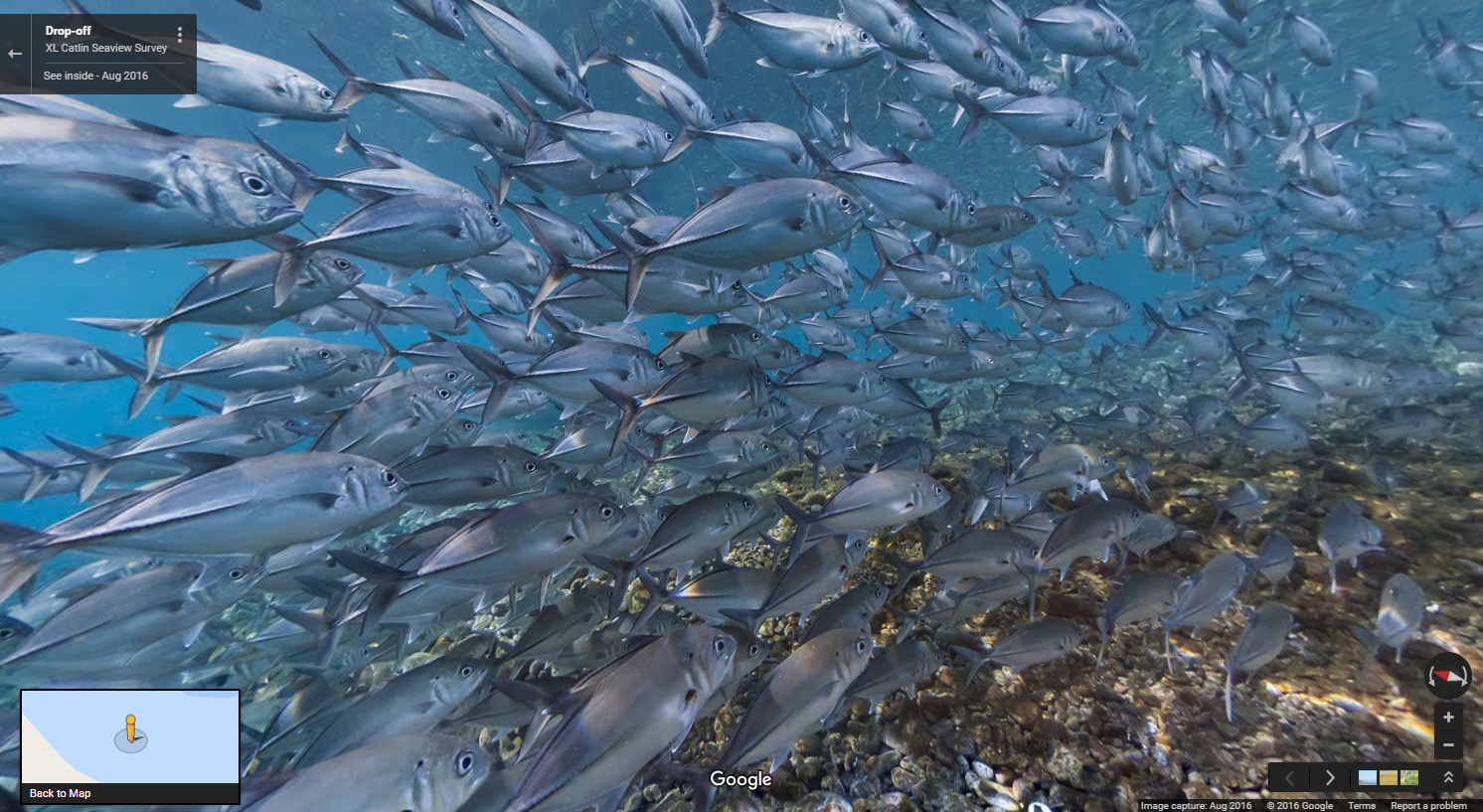
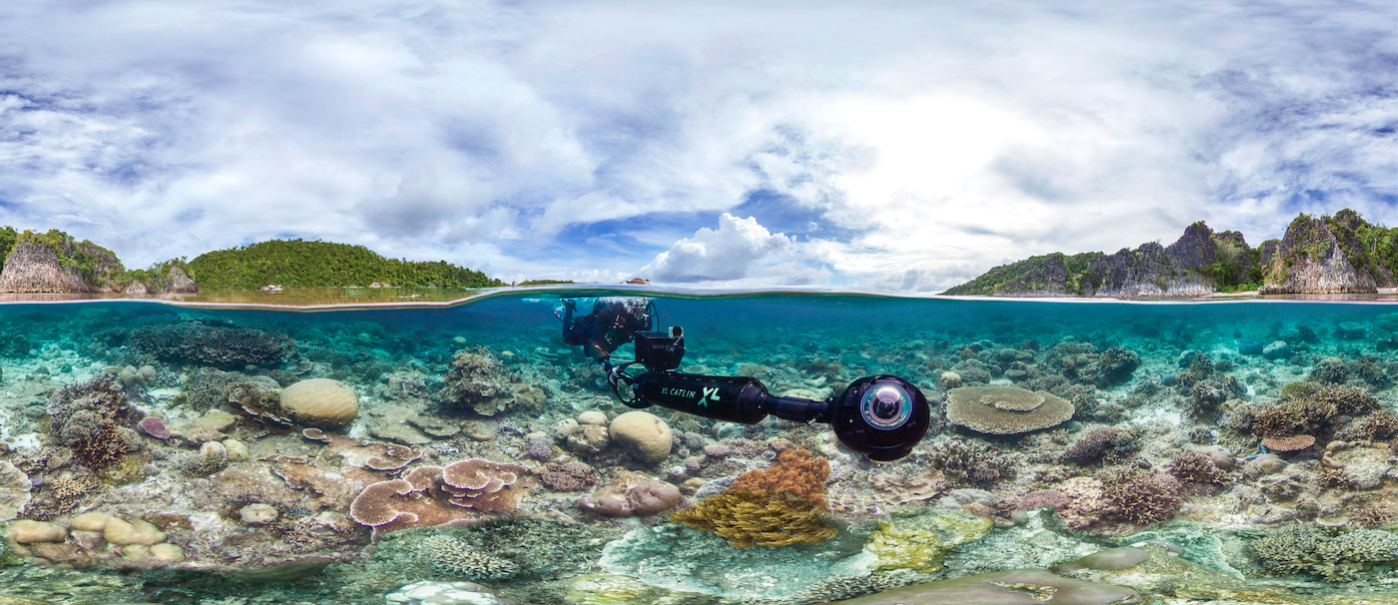
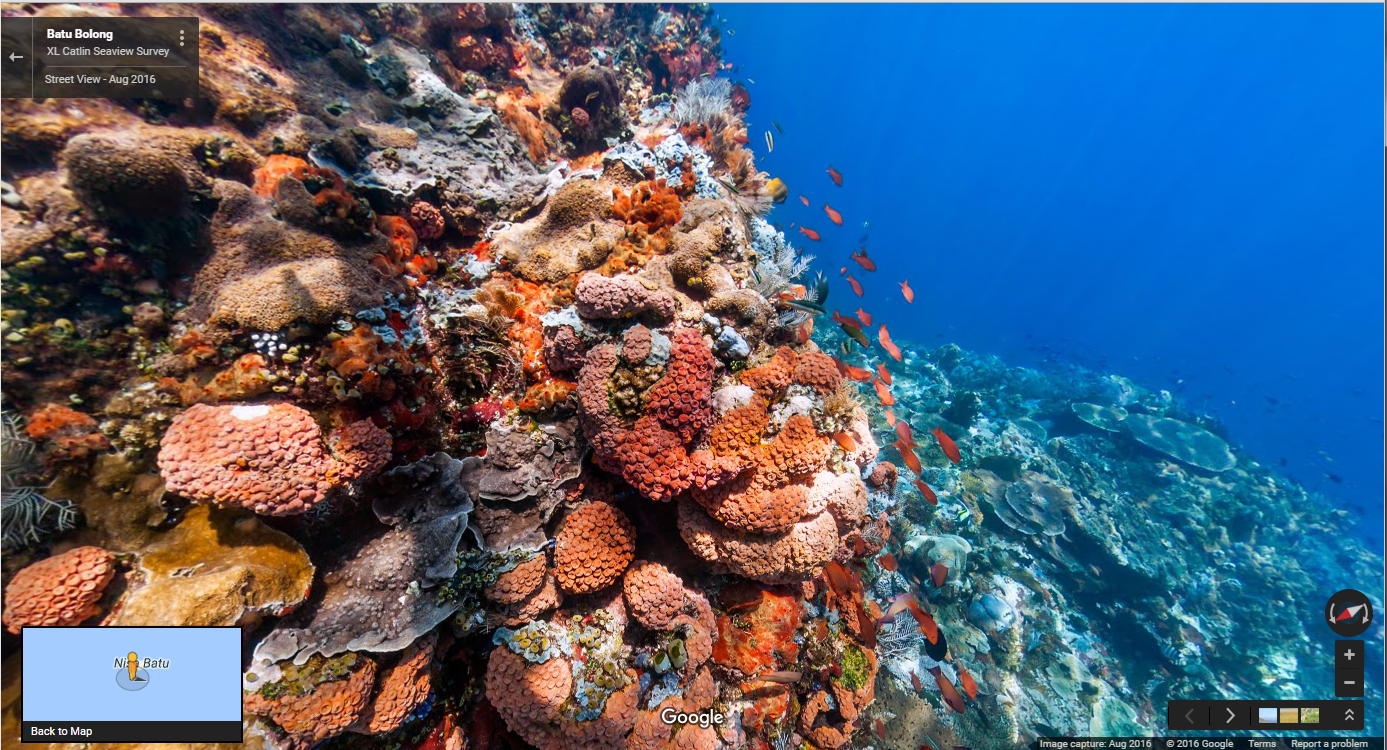
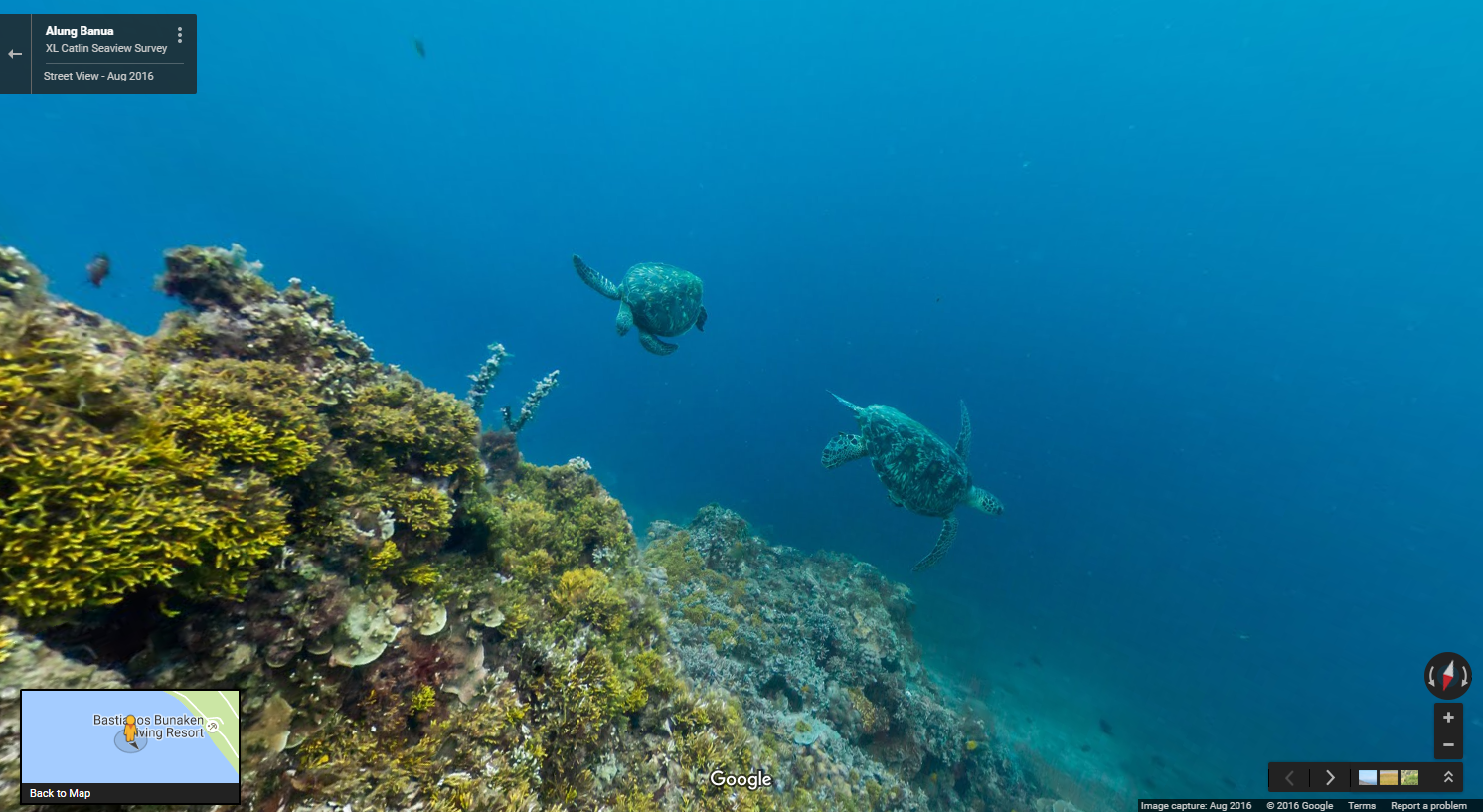
To capture all this stunning underwater imagery, the XL Catlin Seaview Survey team use a panoramic camera system, mounted on an underwater scooter piloted by a diver. The crystal clear images are produced by the camera cruising along at around 4kms per hour taking rapid-fire 360 degree pictures every 3 seconds. This imagery is part of a unique global study dedicated to monitoring the change of the ocean’s corals and revealing that change to the world.
Scenario 2: You’re running out of storage
Entry-level smartphones come with internal storage capacities as low as 4GB, while higher-end models range between 8GB and 32GB. For many of us, that’s not enough for all the videos, music, apps, and photos we cram onto our beloved smartphones. To ensure that Google Maps users with any storage capacity can download and use offline areas when they need them most, we’ve added the ability to download your offline areas to an external SD card (if your device supports them) on Google Maps for Android. Now you’ll never have to choose between snapping more food photos or the ability to navigate offline.
Scenario 3: You just want someone else to do the driving
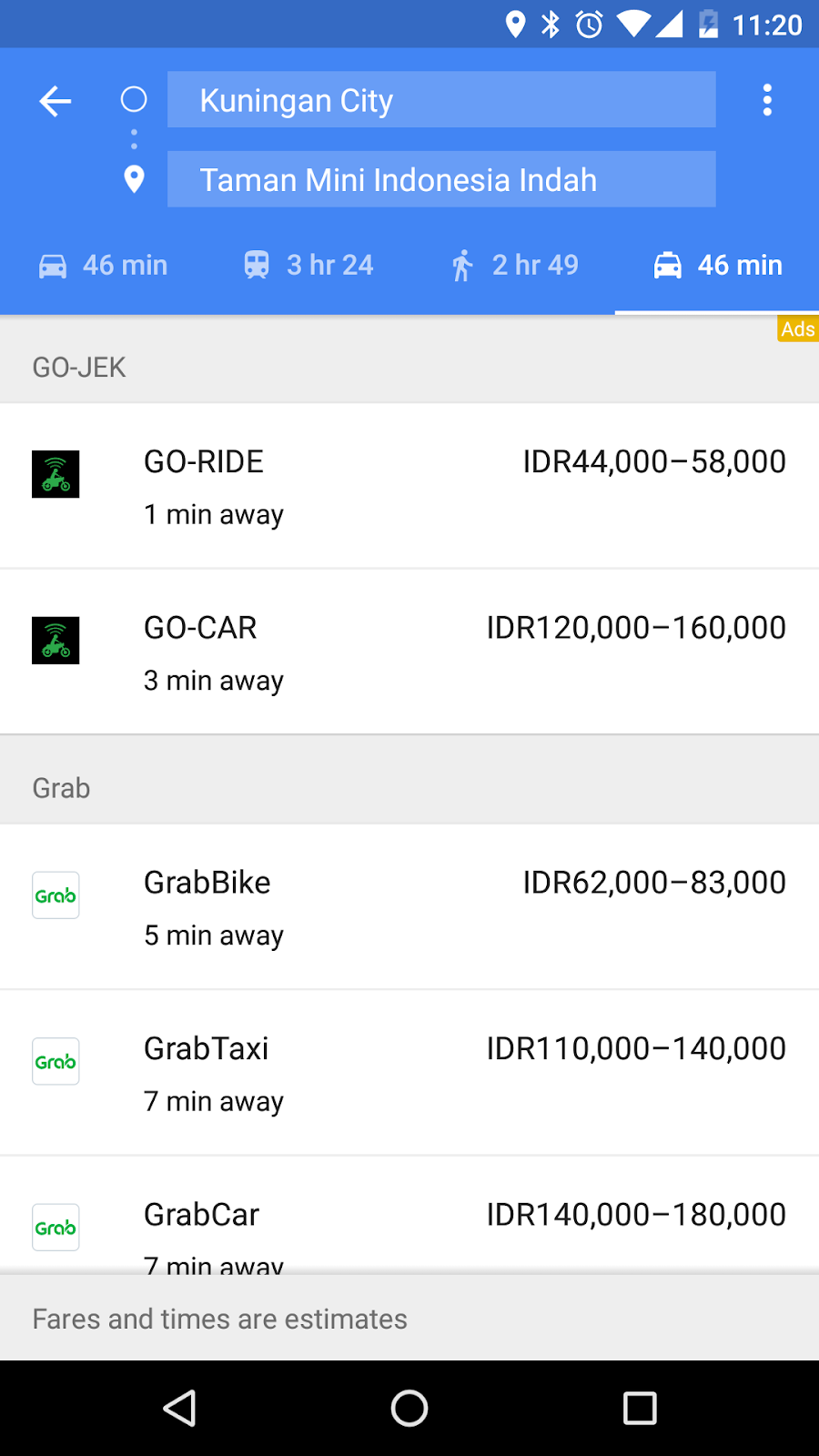
Sometimes you just need to get somewhere fast and don't want to drive, walk, or take public transportation. In March, we introduced a dedicated mode where users can easily compare ride service options without having to open multiple apps. In addition to showing options from Uber, we're now showing GO-JEK rides in three cities in Indonesia with ten more cities coming soon (Android, rolling out on iOS) and Grab rides in 24 cities throughout Indonesia, Malaysia, Philippines, Singapore, and Thailand (Android, rolling out on iOS). We've also expanded the availability of Gett, Hailo, and MyTaxi in select cities across Ireland, Poland, Italy, Austria, Russia, and Israel (Android, iOS).
Commuting around your own city can be a battle and navigating around a foreign land can be ten times tougher. Using Google Maps offline and comparing between ride service options help make it a little easier so you can spend more time living and less time figuring out how to get places.
Posted by Amanda Bishop, Product Manager, Google Maps
Construction, security and crowds during large-scale events can put a damper on a driver’s day. We’re working with the City of Rio to make sure Google Maps has the most up-to-date info on traffic, road closures and detours and help get you where you’re going faster.
Breezing through traffic and beating the crowds is reason for celebration. With the Explore feature on Google Maps for Android and iOS in Brazil, anyone can uncover the local gems wherever you go by simply tapping “Explore food & drinks near you” at the bottom of the app. From there you can swipe through the best breakfast, lunch, coffee, dinner, and drinks spots around them.
Getting all of Rio on the Map
The favelas of Rio aren’t well-known to many outsiders, partly because there’s limited information about these areas to include on maps. We partnered with the local Brazilian nonprofit Grupo Cultural AfroReggae on a project called “Tá No Mapa” (“It’s On the Map” in English). Together with AfroReggae we trained 150 favela residents on digital mapping skills and in just two years they’ve mapped 26 favelas and gotten more than 3,000 businesses on the map. Not only does this allow locals to find businesses like Bar do David—an award-winning restaurant in the favela Chapeu Mangueira—it’s helped some local residents get a mailing address for the first time.
Getting in on the action from home
For those of you (*raises hand*) who can’t make it to Rio this summer, you can still get in on the excitement from the comfort of your home. We refreshed our Google Street View imagery to give virtual travelers an insider's look at the stadiums. You can almost taste the caipirinhas!
For those who really want to feel like they’re in the the game, we also launched indoor maps of all 25 official indoor venues and added more details to the maps of the 12 outdoor venues – like the custom-made golf course where you can now practically see all 18 holes.
No matter what city you find yourself in this summer, these very same features can help you find the perfect spot to watch the action and get there with ease.
Posted by Marcus Leal, Product Manager, Google Maps
For years, Google Maps has been adding 3D imagery from all over the world – New York City, the Grand Canyon, Mont Blanc, and more. A few of us started wondering if this 3D imagery could make learning about the world a bit more fun for kids. We started playing with quick prototypes, and even brainstormed with our own kids to get inspired by their sense of curiosity.
Our idea became a new, experimental app called Verne: The Himalayas. It invites you to explore the Himalayas as a 500 foot Yeti named Verne. You can run up Mt. Everest, chase yaks, discover bits of information, ride a jetpack, play Himalayan instruments, and more.
We're excited to share it today as a fun way for anyone to take a summer trip to the tallest mountain range in the world. Get the app for your Android device from the Play Store, or learn more here.
Posted by: Amar Gandhi and JR Schmidt - 3D tinkerers and Yeti Enthusiasts
A cleaner look
The world is full of information, which means highlighting necessary info on the map without overcrowding it is a balancing act. So as part of this update, we’ve removed elements that aren’t absolutely required (like road outlines). The result is a cleaner look that makes it easier to see helpful and actionable information like traffic and transit. And we’ve improved the typography of street names, points of interest, transit stations, and more to make them more distinguishable from other things on the map, helping you navigate the world with fewer distractions.
Areas of interest
The cleaner canvas also lets us show local information in entirely new ways. As you explore the new map, you’ll notice areas shaded in orange representing “areas of interest”—places where there’s a lot of activities and things to do. To find an “area of interest” just open Google Maps and look around you. When you’ve found an orange-shaded area, zoom in to see more details about each venue and tap one for more info. Whether you’re looking for a hotel in a hot spot or just trying to determine which way to go after exiting the subway in a new place, “areas of interest” will help you find what you’re looking for with just a couple swipes and a zoom.
We determine “areas of interest” with an algorithmic process that allows us to highlight the areas with the highest concentration of restaurants, bars and shops. In high-density areas like NYC, we use a human touch to make sure we’re showing the most active areas.
A more subtle and balanced color scheme
The new Maps has a subtle color scheme to help you easily differentiate between man-made or natural features, and quickly identify places like hospitals, schools or highways. In case you’re curious, here’s a key showing what each color on the map represents.
Google Maps already provides you everything you need to get around the world in one place —including business information, ratings and reviews, and more than 100+ million distinct places. And with these updates, it's now even easier to navigate to where you want to go.
Posted by Zhou Bailiang, UX Designer, Google Maps and Mark Li, Software Engineer, Google Local
There’s more to a place than its business hours or address—you might want to know if a place has a romantic vibe, serves vegetarian food or offers outdoor seating. Now on Google Maps for Android and when searching on your mobile phone, you can contribute what you know about a place so that others can benefit from the info as well. Knowing these types of details helps us build a deeper understanding of a place so we can better help users find the places most relevant to them.
Verify suggested edits from others
We’ve also introduced a new way for users to help approve edits suggested by others, ultimately reducing the amount of time it takes for edits to appear on the map. For places that have pending suggestions, you’ll see a notification stating that “Someone suggested new info.” If you click or tap that notification, you’ll have the option to verify whether the suggestion is accurate. Once enough votes are received to be confident that the suggestion is accurate, it’s published to the map. This feature is available to Android users on the Google Maps app and both Android and iOS users on mobile Google Search.
Together, these new changes let people who are familiar with their neighborhoods help provide accurate, reliable information about their favorite haunts and hidden gems. So now when searching for useful information about a place on Google Maps or Search, you’ll get an even better representation of the ever-changing world around us.
Posted by Nirav Mehta, Product Manager, Google Maps and Local Search






 Follow
