Conversation


Once you pull this commit, you should run "composer install" to upgrade your local installation.
You still need to
1. think about how to include ResourceContents
2. add CSS and make the search results pretty
3. update the HTML asynchronously
It doesn't work yet, though
Doesn't work yet for some reason.
19 tasks
 aryarm
added
dependencies
aryarm
added
dependencies

aryarm
commented
May 1, 2020
I also tested the field weights, and they seem to be fine.
This file contains hidden or bidirectional Unicode text that may be interpreted or compiled differently than what appears below. To review, open the file in an editor that reveals hidden Unicode characters.
Learn more about bidirectional Unicode characters
Sign up for free
to join this conversation on GitHub.
Already have an account?
Sign in to comment
1 participant

Add this suggestion to a batch that can be applied as a single commit.This suggestion is invalid because no changes were made to the code.Suggestions cannot be applied while the pull request is closed.Suggestions cannot be applied while viewing a subset of changes.Only one suggestion per line can be applied in a batch.Add this suggestion to a batch that can be applied as a single commit.Applying suggestions on deleted lines is not supported.You must change the existing code in this line in order to create a valid suggestion.Outdated suggestions cannot be applied.This suggestion has been applied or marked resolved.Suggestions cannot be applied from pending reviews.Suggestions cannot be applied on multi-line comments.Suggestions cannot be applied while the pull request is queued to merge.Suggestion cannot be applied right now. Please check back later.
What You Need to Do
Everyone needs to run the following commands (in the studycloud folder) after pulling this code:
If You Want to Use Search (recommended)
If you want to test out the new search feature or plan on using it any time in the future, do the following after the steps above:
.envfile in your studycloud folder:studycloudcommand by runningcommand -v studycloudstudycloudcommand, so that it can start and stop elasticsearch along with the apache and mysql services:wget -q https://studycloud.page.link/start -O - | bash -s | xargs -L 1 > ~/.studycloudcurl -skL https://studycloud.page.link/start | bash -s | xargs -L 1 > ~/.studycloudelasticsearch(either manually or by running thestudycloudcommand) before continuing to the next stepphp artisan scout:import "App\Resource"Queuing (optional - not recommended)
You can also do the following to enable queuing of updates to the search results. This is a new feature that will help our server manage a potentially deleterious deluge of update requests. But you don't need to enable it locally if you don't plan on bombarding your computer with such requests.
.envfile:php artisan queue:listenorphp artisan queue:workI recommend adding this step to your
studycloudcommand by editing the~/.studycloudfile.Summary of Changes in this PR
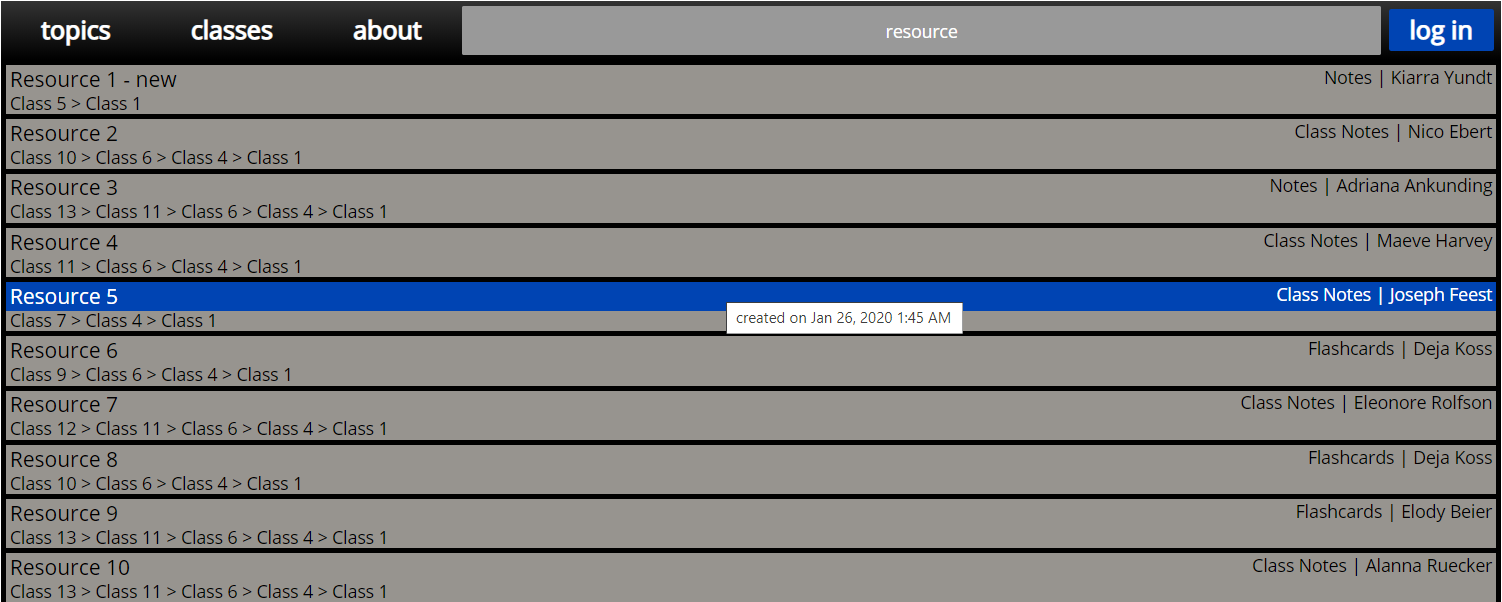
db5f70d9)Here's a snapshot of the new search results page:
Search Features
The Elasticsearch engine makes our searches incredibly powerful. Here's a sampling of some of its features:
use:Noteswill return resources meant to be used as notes. The available fields are:name,author,use,classes,contents.name,contents.type,contents.content?and*wildcards.+and-to specify whether a term must be present or absent.ANDandORoperators.author:(Ebert OR Koss)will search for resources created by either Ebert or Koss.~to perform fuzzy searches. For example, the queryEbret~will matchEbert.Ebret^2 Kosswill make finding resources withEbrettwice as important as finding resources withKoss.\and quotations"to force terms to be interpreted literally.