


🌍 Live demo: Clean-Code.rocks
A sample project for Vaadin Flow and Spring Boot
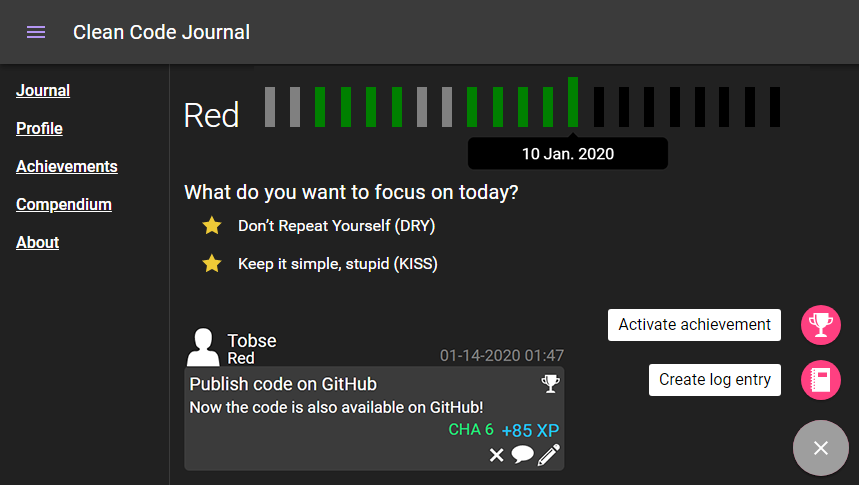
Have you tried to become a Clean Code Developer and master the white grade?
This web-app helps you to keep the track and reminds you in your current grade goals.
Log your progress and get achievements for your goals 🏆.
This project was built as a sample application for a Vaadin 14 progressive web app. It uses Spring Boot and runs on Java 12.
It uses free open source Vaadin Components, so you don't need a Vaadin Pro subscription to run, start or debug it.
❤ The samples contain content from https://clean-code-developer.de. Big thank you to Ralf Westphal who allowed me to use it for this sample.
Requirements:
- Installed JDK 12, or higher.
- Installed Node JS 10 or later.
Make sure you have the node package managernpmon your PATH.
Start:
- Import the project to the IDE of your choosing as a Maven project.
- To run WebApp just execute the maven task
mvn spring-boot:runor run theApplicationclass in your IDE. - Open http://localhost:8080 in a browser.
If you want to run the application locally in the production mode, run mvn spring-boot:run -Pproduction.
For editing I18N property files, make sure you use UTF-8 encoding. In IntelliJ:
File > Settings > Editor > File Encodings > Properties Files > Default encoding: UTF-8
For documentation on using Vaadin Flow and Spring, visit vaadin.com/docs.
For more information on Vaadin Flow, visit https://vaadin.com/flow.
The demos show 5 different ways how to build a Vaadin interface component:
- Flow components
UI built with Vaadin Flow components.
Example:org.cleancode.journal.view.CompendiumView.createTable - Element API
Custom component built with HTML elements.
Example:org.cleancode.journal.component.progressbar.GradeProgressBar - Custom HTML
Direct output of custom HTML.
Example:org.cleancode.journal.view.AboutView - Polymer Templates
A Polymer Template which is defined in JavaScript and has a Java adapter Component.
Example:org.cleancode.journal.component.logentry.LogEntryComponent
JS-Part:frontend/src/log-entry.js - Web-Components
Import of an existing external hosted Web-Component.
Example:org.cleancode.journal.component.speeddial.SpeedDial
- frontend
- java
org.cleancode.journal.component📎
Ui-componentsorg.cleancode.journal.domain📎
Domain entities which could be saved in a DBorg.cleancode.journal.service📎
Spring services which load, save or manipulate domain entitiesorg.cleancode.journal.util📎
Stateless helper functionsorg.cleancode.journal.view📎
All views (pages) and dialogs
- resources
The project initial setup was generated by a free Vaadin starter start.vaadin.com.
This project is licenced under MIT.
You are free to:
- Share — copy and redistribute the material in any medium or format
- Adapt — remix, transform, and build upon the material
This licence does NOT apply to the Clean Code Dev content stored in the grade_x.json files.
No commercial Vaadin components are used in this project. So you don't need a Vaadin Pro subscription to run, start or debug it.
Polymer templates can access CSS Properties of the Vaadin theme.
The theme is also available as web component. But this prevents the IDE to resolve a CSS property because it's stored as a JS String instead of a CSS file.
So we have to ignore this warning:
Cannot resolve '--material-secondary-background-color' custom property