JSON Editor is a web-based tool to view, edit, format, and validate JSON. It has various modes such as a tree editor, a code editor, and a plain text editor.
The editor can be used as a component in your own web application. The library can be loaded as CommonJS module, AMD module, or as a regular javascript file.
Supported browsers: Chrome, Firefox, Safari, Opera, Internet Explorer 9+.

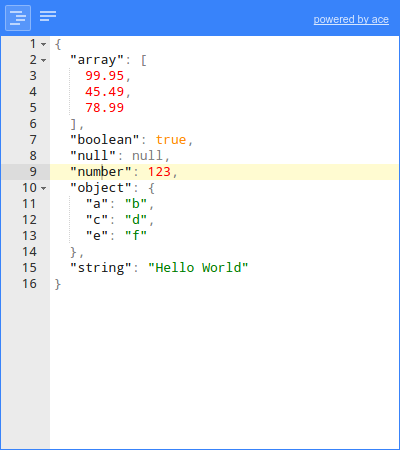
- Edit, add, move, remove, and duplicate fields and values.
- Change type of values.
- Sort arrays and objects.
- Colorized code.
- Search & highlight text in the tree view.
- Undo and redo all actions.
- JSON schema validation (powered by ajv).
- Colorized code (powered by Ace).
- Inspect JSON (powered by Ace).
- Format and compact JSON.
- JSON schema validation (powered by ajv).
- Format and compact JSON.
- JSON schema validation (powered by ajv).
Install via npm:
npm install jsoneditor
There are two versions of jsoneditor available: a full version and a minimalist version.
If you're not sure which version to use, use the full version: jsoneditor.js.
The minimalist version, jsoneditor-minimalist.js, has excluded the following libraries:
ace(viabrace), used for the code editor.ajv, used for JSON schema validation.
This reduces the the size of the minified and gzipped JavaScript considerably.
When to use the minimalist version?
- If you don't need the mode "code" and don't need JSON schema validation.
- Or if you want to provide
aceand/orajvyourself via the configuration options, for example when you already use Ace in other parts of your web application too and don't want to bundle the library twice.
There is a directive available for using jsoneditor in Angular.js:
https://github.com/angular-tools/ng-jsoneditor
<!DOCTYPE HTML>
<html>
<head>
    <!-- when using the mode "code", it's important to specify charset utf-8 -->
    <meta http-equiv="Content-Type" content="text/html;charset=utf-8">

    <script src="jsoneditor/dist/jsoneditor.js"></script>
</head>
<body>
    <div id="jsoneditor" style="width: 400px; height: 400px;"></div>

    <script>
        // create the editor
        var container = document.getElementById('jsoneditor');
        var options = {};
        var editor = jsoneditor(container, options);

        // set json
        var json = {
            "Array": [1, 2, 3],
            "Boolean": true,
            "Null": null,
            "Number": 123,
            "Object": {"a": "b", "c": "d"},
            "String": "Hello World"
        };
        editor.set(json);

        // get json
        var json = editor.get();
    </script>
</body>
</html>The code of the JSON Editor is located in the folder ./src. To build
jsoneditor:
-
Install dependencies:
npm install -
Build JSON Editor:
npm run buildThis will generate the file
./dist/jsoneditor.jsand./dist/jsoneditor-minimalist.jsand corresponding source maps. -
For development, start a develop server which automatically reloads when a source file has changed:
npm start -
Run unit tests (Jest):
npm test
MIT