Build small, fast and modern cross-platform desktop apps with C++ & Web Technologies

The documentation can be found here.
Examples can be found here.
Learn how to create your first saucer app here.
Saucer is a modern C++ webview library that allows you to build cross-platform desktop applications with ease.
It supports all three major desktop operating systems (Windows, Linux, MacOS) and has several backend implementations.
-
⚖️ FOSS
Licensed under MIT!
-
🪶 Lightweight
By using the operating systems native web renderer1, it is possible to create binaries as small as ~250KB
-
🔀 Seamless C++ / JavaScript interoperability
Convenient API (powered by reflection) to evaluate JavaScript Code or expose C++ functions to JavaScript!
> Example -
👾 Feature-Rich
Supports custom schemes, script injection, favicons, and much more!
-
㊗️ Unicode Support
-
🚀 Coroutine Support
See Code Example below!
-
📦 Supports Embedding Frontend into binary
Ship a contained binary with ease!
> Documentation -
🦺 Thread-Safe
-
🧨 No Exceptions2
Compiles with
-fno-exceptions! -
🏃 No RTTI
Compiles with
-fno-rtti! -
🪟 Built-in support for frame-less windows and transparency
Supports
data-webviewattributes to allow effortless custom title-bars.
> Documentation -
🧰 Customizable
Exposes platform specific implementations, making it possible to tweak the library to your hearts content!
> DocumentationSaucer also provides official extensions in the form of modules:
Module Description saucer/desktop 📂 File-Picker, Mouse-Position retrieval and URI-Launch support
> Examplesaucer/pdf 📄 Export current page as PDF
> Examplesaucer/loop 🛞 "Legacy"3 loop implementation
> Example -
💻 Supports various backends
Platform Backends Windows Win32 & WebView2 Qt + QWebEngine Linux GTK4 & WebKitGtk MacOS Cocoa & WKWebView -
🏗️ Bindings
Saucer also exposes a C-Interface, thus making it possible to write bindings for it in your favorite language!
Language Repository Java https://github.com/saucer/saucer4j PHP https://github.com/boson-php Rust https://github.com/skjsjhb/saucers Please note: All bindings are community maintained!
| CPM | FetchContent |
|---|---|
CPMFindPackage(
  NAME           saucer
  VERSION        8.0.2
  GIT_REPOSITORY "https://github.com/saucer/saucer"
) |
FetchContent_Declare(
  saucer
  GIT_TAG v8.0.2
  GIT_REPOSITORY "https://github.com/saucer/saucer"
)

FetchContent_MakeAvailable(saucer) |
|
Note: Replace |
|
target_link_libraries(<target> saucer::saucer) |
|
See the documentation for more information!
#include <print>
#include <saucer/smartview.hpp>

coco::stray start(saucer::application *app)
{
    auto window  = saucer::window::create(app).value();
    auto webview = saucer::smartview::create({.window = window});

    window->set_title("Hello World!");
    window->set_size({.w = 800, .h = 600});

    webview->expose("add_demo", [&](double a, double b) -> coco::task<double>
    {
        co_return a + b + *co_await webview->evaluate<double>("Math.random()");
    });

    auto index = saucer::url::from("index.html");

    if (!index.has_value())
    {
        co_return std::println("{}", index.error());
    }

    webview->set_url(index.value());
    window->show();

    co_await app->finish();
}

int main()
{
    return saucer::application::create({.id = "example"})->run(start);
}
🔍 See more examples!
Saucer is a passion project and I develop it in my free-time. If you'd like to support me, consider sponsoring my tea-addiction 🫂
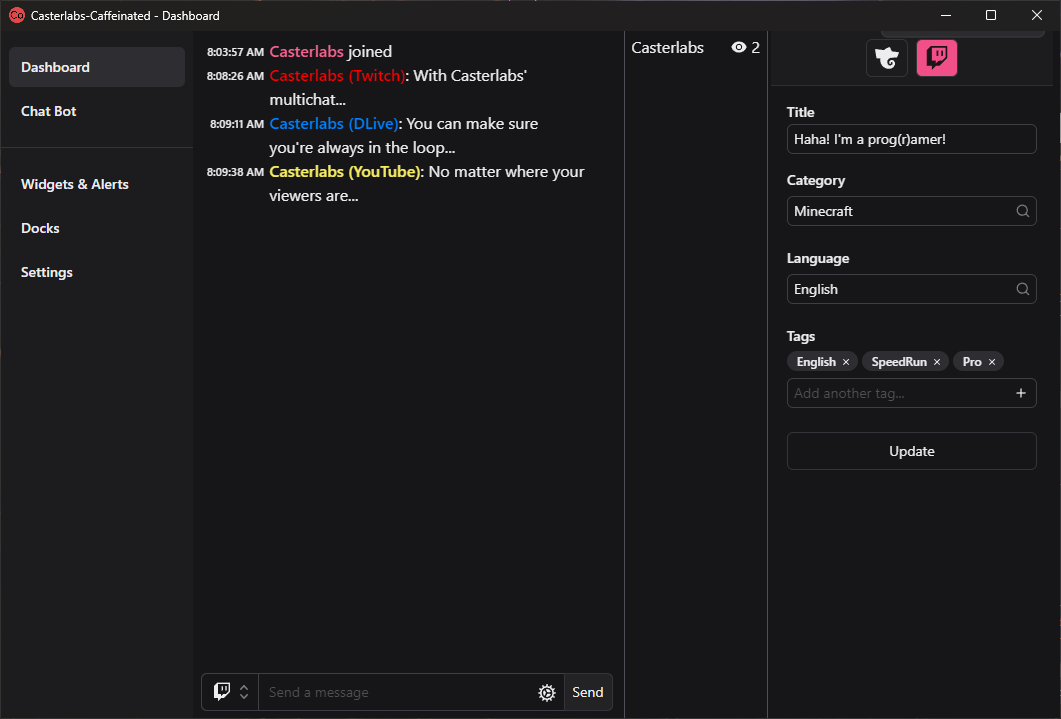 |
 |
|---|---|
| Casterlabs - Caffeinated | TopNotify |
| (Built on saucer4j) | (Built on their C# Saucer Bindings "IgniteView") |
Saucer is 100% human written. No AI-Tools were used in the development process.