-
- Find Elements by ID.
-
- Find Elements by HTML Class Name.
-
- Extract Text From HTML Elements.
-
- Find Elements by Class Name and Text Content.
-
- Pass a Function to a Beautiful Soup Method.
-
- Identify Error Conditions.
-
- Access Parent Elements.
-
- Extract Attributes From HTML Elements

Windows:
pip install beautifulsoup4python setup.py installFor Installation see Installation website.



$ Node.js
>>> import { ApifyClient } from 'apify-client';

// Initialize the ApifyClient with API token
const client = new ApifyClient({
   token: '<YOUR_API_TOKEN>',
});

// Prepare actor input
const input = {
   "url": "https://crawlee.dev/",
   "proxyOptions": {
       "useApifyProxy": true
   },
   "frameRate": 7,
   "scrollPercentage": 10,
   "recordingTimeBeforeAction": 1000
};

(async () => {
   // Run the actor and wait for it to finish
   const run = await client.actor("glenn/gif-scroll-animation").call(input);

   // Fetch and print actor results from the run's dataset (if any)
   console.log('Results from dataset');
   const { items } = await client.dataset(run.defaultDatasetId).listItems();
   items.forEach((item) => {
       console.dir(item);
   });
})();

GoogleScraperDemo.java:
1 UserAgent userAgent = new UserAgent();         //create new userAgent (headless browser)
2 userAgent.visit("http://google.com");          //visit google
3 userAgent.doc.apply("butterflies").submit();   //apply form input and submit
4
5 Elements links = userAgent.doc.findEvery("<h3>").findEvery("<a>");  //find search result links
6 for(Element link : links) System.out.println(link.getAt("href"));   //print results
$ npm install crawlerconst Crawler = require('crawler');
const c = new Crawler({
maxConnections: 10,
// This will be called for each crawled page
callback: (error, res, done) => {
if (error) {
console.log(error);
} else {
const $ = res.$;
// $ is Cheerio by default
//a lean implementation of core jQuery designed specifically for the server
console.log($('title').text());
}
done();
}
});
// Queue just one URL, with default callback
c.queue('http://www.amazon.com');
// Queue a list of URLs
c.queue(['http://www.google.com/','http://www.yahoo.com']);
// Queue URLs with custom callbacks & parameters
c.queue([{
uri: 'http://parishackers.org/',
jQuery: false,
// The global callback won't be called
callback: (error, res, done) => {
if (error) {
console.log(error);
} else {
console.log('Grabbed', res.body.length, 'bytes');
}
done();
}
}]);
// Queue some HTML code directly without grabbing (mostly for tests)
c.queue([{
html: '<p>This is a <strong>test</strong></p>'
}]);More code on the website:
https://www.npmjs.com/package/crawler
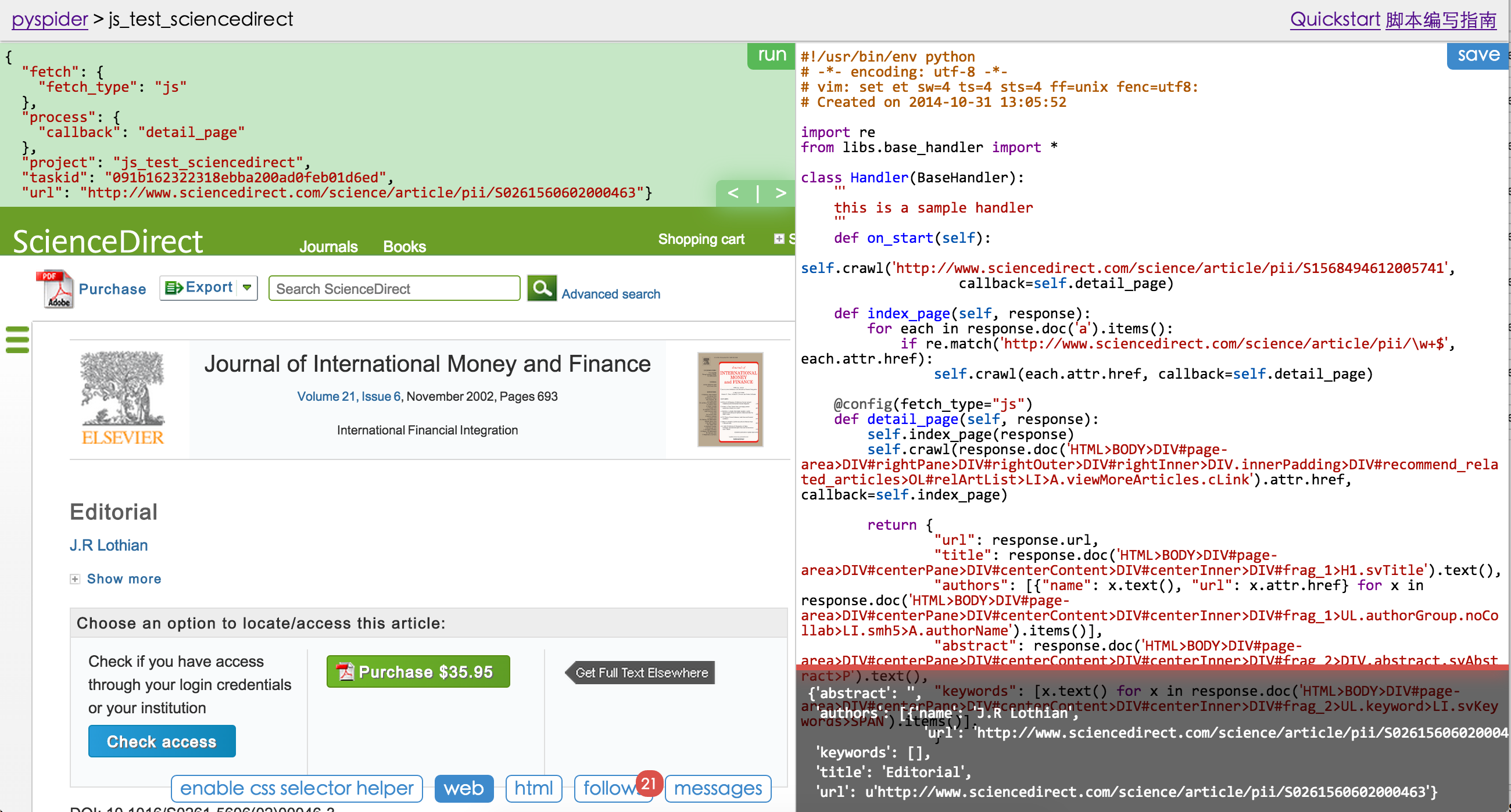 github: https://github.com/binux/pyspider
from pyspider.libs.base_handler import *


class Handler(BaseHandler):
    crawl_config = {
    }

    @every(minutes=24 * 60)
    def on_start(self):
        self.crawl('http://scrapy.org/', callback=self.index_page)

    @config(age=10 * 24 * 60 * 60)
    def index_page(self, response):
        for each in response.doc('a[href^="http"]').items():
            self.crawl(each.attr.href, callback=self.detail_page)

    def detail_page(self, response):
        return {
            "url": response.url,
            "title": response.doc('title').text(),
        }