Regex Tester is a lightweight VS Code extension that detects regex patterns in your code and lets you test them instantly with custom input.
🔗 View on GitHub
- ✅ Adds a code lens above each detected regex: “👁️ Test my regex”
- ✅ Instantly test regex patterns with custom input via input box
- ✅ Displays match result and captured groups in a VS Code message
- ✅ Ignores false positives (regex-looking strings, comments, etc.)
- ✅ Supports regex detection in strings, constructors, DSLs, raw formats, and language-specific patterns
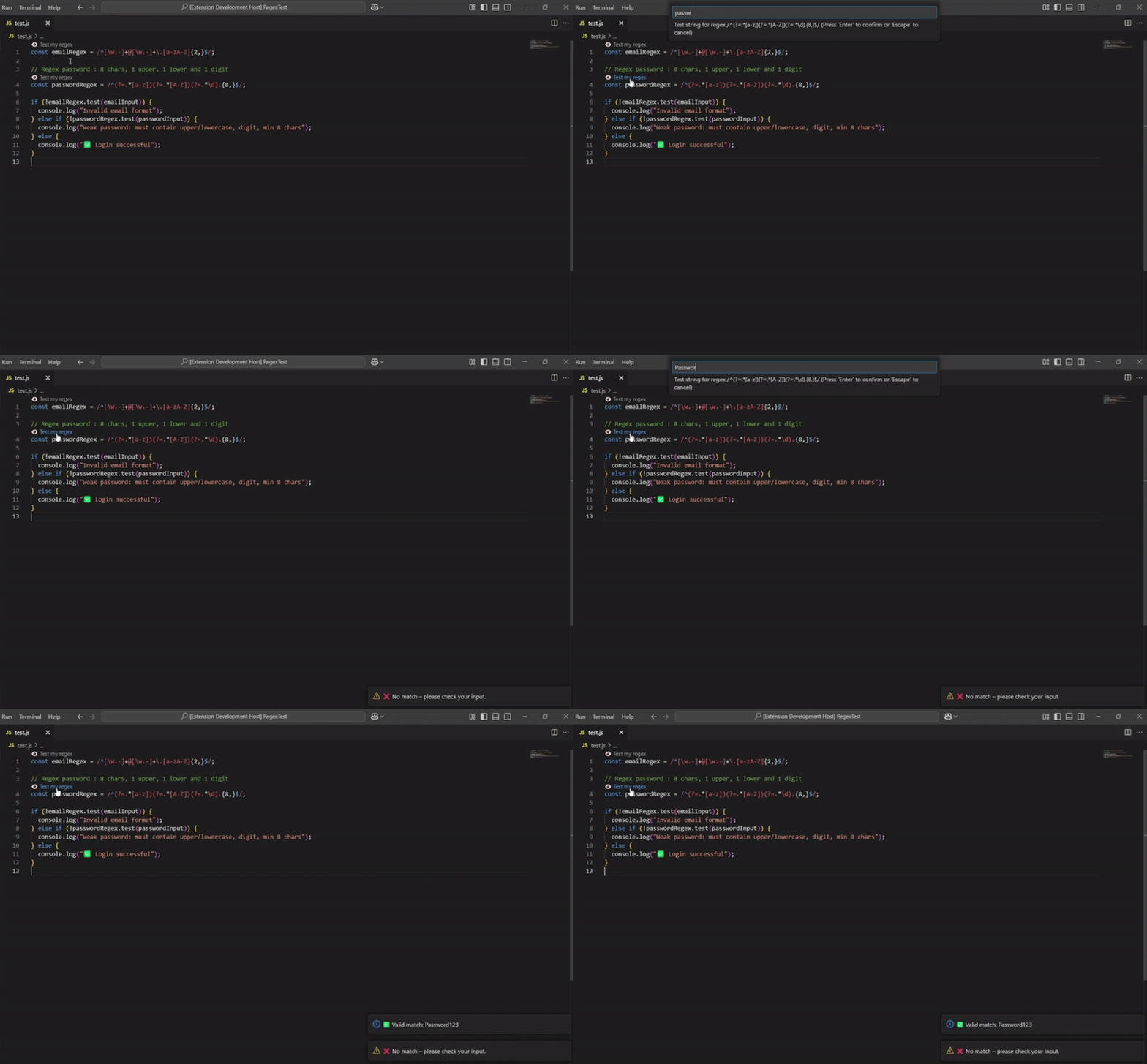
1: Open any supported file containing a regular expression.
2: When a regex is detected, you'll see a 👁️ Test my regex button appear above it.
3: Click the button to enter a test string in the input box.
4: A result message will show whether the input matches the regex:
-
✅ Shows the full match and captured groups
-
❌ Tells you when no match is found
Regex Tester supports the following languages:
- JavaScript
- TypeScript
- Python
- Java
- C#
- C++
- Go
- PHP
- Ruby
- Rust
- Swift
- SQL
- Shell (Bash)
- PowerShell
- HTML
- XML
- JSON
- YAML
You can install Regex Tester in two ways:
-
🧩 Directly from the Extensions panel in VS Code:
- Open VS Code
- Go to the Extensions tab (
Ctrl+Shift+X) - Search for
Regex Tester - Click "Install"

You're ready to start testing your regexes right inside VS Code !
MIT – Do whatever you want 😄
Created with ❤️ by Apouuuuuuu