

Why Syrin Exists
MCP servers break in production in ways that are hard to debug. The failures are silent, non-obvious, and often only surface under real agent traffic. Here are the patterns Syrin is built to catch.Failure 1: The LLM Picks the Wrong Tool
You have two tools:E110: Tool Ambiguity — two tools match the same intent. Detected by syrin analyse before any tool executes.
Failure 2: The Tool Returns Too Much Data
Yoursearch_documents tool returns all matching results. In testing with 5 documents, it works fine. In production with 50,000 documents, the response is 12MB of JSON. The LLM context overflows, the agent loses track of what it was doing, and the session silently degrades.
What Syrin catches: E301: Output Explosion — tool output exceeds the declared size limit. Detected by syrin test during sandboxed execution.
Failure 3: The Tool Has Hidden Side Effects
Yourgenerate_report tool is supposed to read data and return a summary. But the implementation also writes a cache file to disk. In a sandbox or CI environment, that write fails. In production, it corrupts state. Nobody notices until a user reports inconsistent results.
What Syrin catches: E500: Side Effect Detected — tool attempted filesystem writes when its contract says side_effects: none. Detected by syrin test with behavioral observation.
Failure 4: The Tool Description Is Missing
data should look like. It either ignores the tool entirely or passes garbage.
What Syrin catches: E101: Missing Tool Description and E102: Underspecified Required Input. Detected by syrin analyse — static analysis, no execution needed.
Failure 5: Tool Chain Breaks Silently
Tool A returns a user ID as a string ("123"). Tool B expects a user ID as a number (123). The LLM chains them together. Tool B receives "123", silently coerces it or throws an obscure error. The agent continues with broken state.
What Syrin catches: E103: Type Mismatch — output type incompatible with downstream input type. Detected by syrin analyse through dependency analysis.
Failure 6: The LLM Loops Forever
The LLM callsget_status, gets a partial result, calls get_status again with the same parameters, gets the same result. Repeat indefinitely. Your logs look “fine” — every call succeeds. But the agent is burning tokens in a loop and never making progress.
What Syrin catches: W300: High Entropy Output and E107: Circular Dependency flag the structural conditions that lead to loops. syrin dev lets you watch the loop happen in real time and interrupt it.
Why Logging Does Not Solve This
After a production failure, you have logs. They show:- Requests and responses
- Error messages
- Timestamps
- Why the LLM chose that tool over another one
- Whether the tool’s contract matches its actual behavior
- Whether the same input produces the same output every time
- Where the execution diverged from what you expected
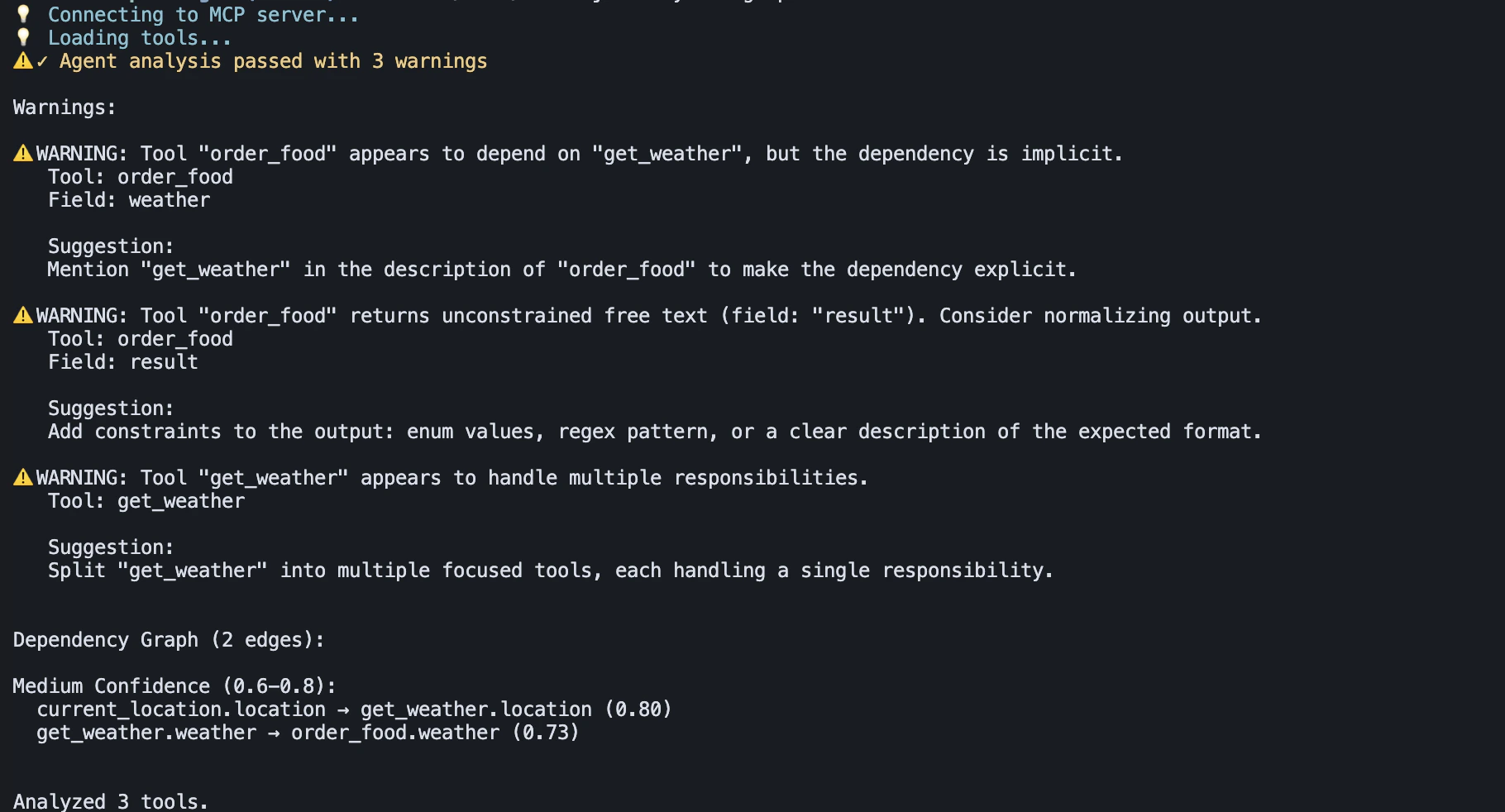
What Changes When Syrin Is Present
| Without Syrin | With Syrin |
|---|---|
| Tool issues found in production | Found by syrin analyse before deployment |
| Side effects discovered by users | Caught by syrin test in sandbox |
| LLM behavior is a black box | syrin dev shows every proposal and decision |
| Debugging means reading logs | Events are structured, typed, and replayable |
| CI checks code, not tool contracts | syrin analyse --ci and syrin test --ci run on every PR |
When You Need Syrin
- You are building an MCP server and want to catch contract issues before they reach users
- You are integrating multiple LLM providers and want to compare how they interact with the same tools
- You are running MCP tools in production and need CI-level validation
- You are debugging why an agent behaves differently across runs
Next
- What Is Syrin? — How Syrin works under the hood
- Installation — Get Syrin installed
- Setup — Configure Syrin for your workflow